
Your Risk Matrix Should Not Change From Site to Site
New in Kenexis® Open-PHA®: organization-level configuration governance.
Roll out a PHA program across a dozen sites and something predictable happens. Site A decides the “Environmental” consequence category should really be called “Environment.” Site B hides four worksheet columns nobody there uses and renames two more. Site C looks at the corporate risk matrix, decides the tolerable frequency for a Medium consequence is too conservative for their unit, and nudges one cell from a 3 to a 2.
Every one of those changes is reasonable in isolation. Together, they mean your company no longer has one risk standard — it has twelve. And you usually find out at the worst possible moment: when someone asks you to roll every site’s findings into a single report and the numbers don’t mean the same thing.
Open-PHA® now gives corporate process safety a way to hold the line.
Three switches, set once, for the whole organization
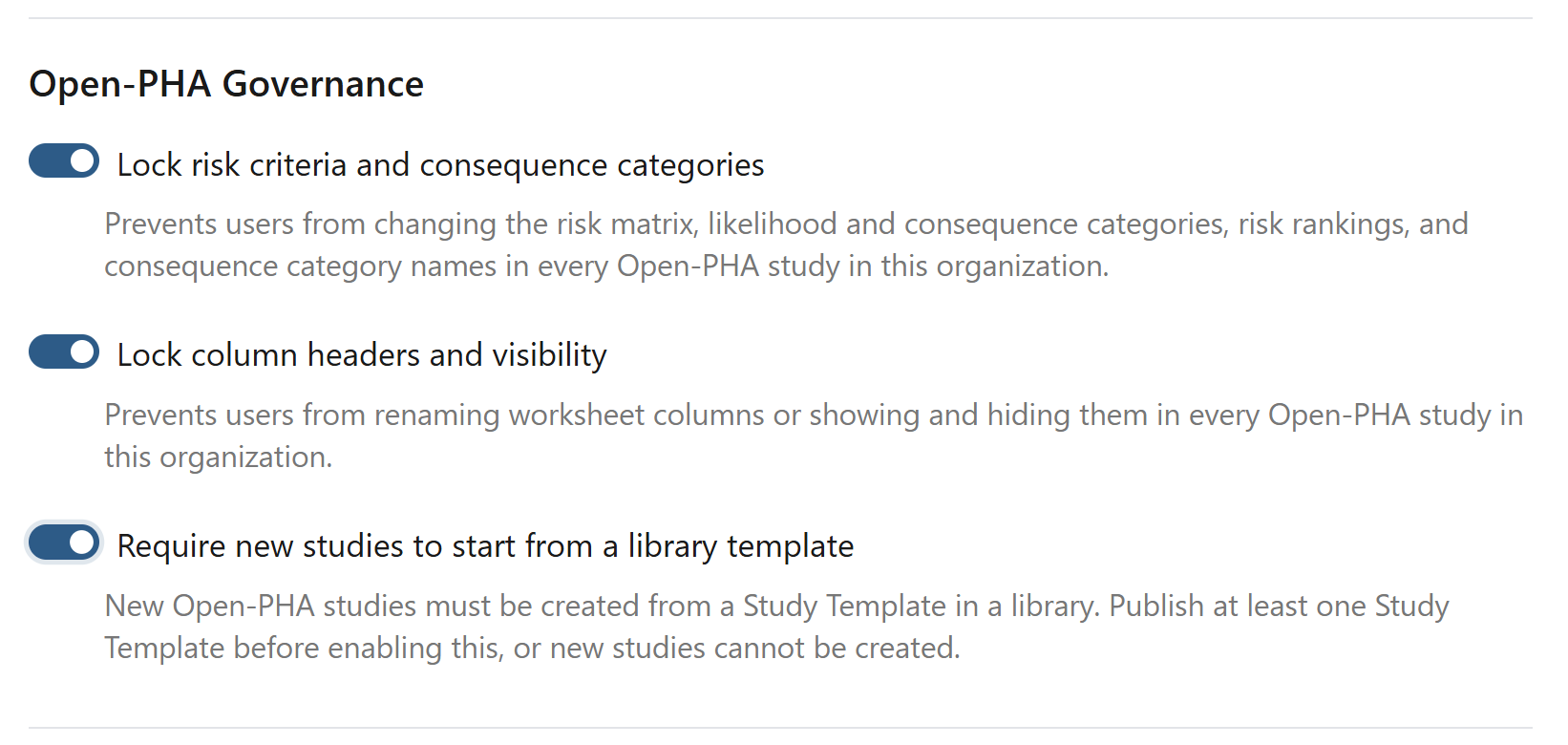
An organization administrator will find a new Open-PHA Governance section under Organization Admin ▸ Security & Privacy. It holds three independent controls.
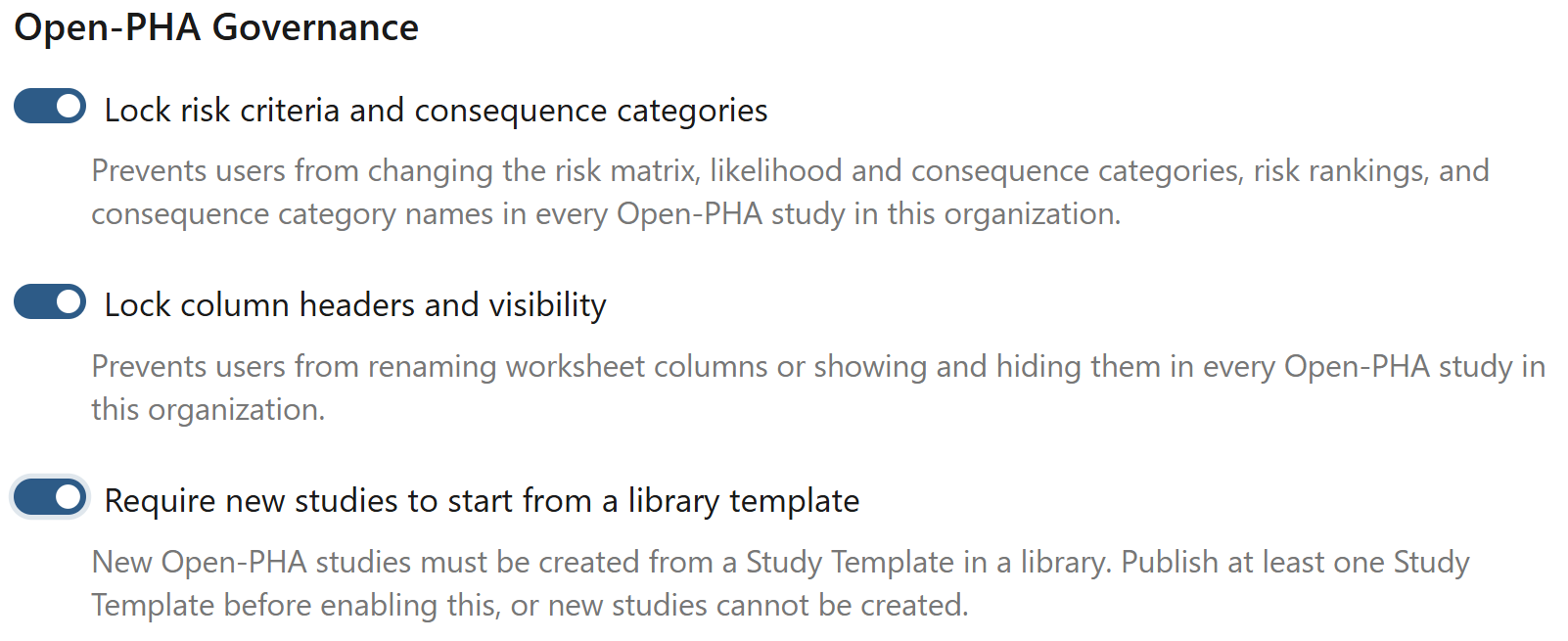
Lock risk criteria and consequence categories. The risk matrix, likelihood and consequence categories, risk rankings, and the consequence category names themselves stop being editable in every Open-PHA® study in the organization.
Lock column headers and visibility. Worksheet columns can no longer be renamed, shown, or hidden. What your standard says a column is called is what it stays called.
Require new studies to start from a library template. New Open-PHA® studies must be created from a Study Template you publish to a library, rather than from an empty study. Analysis mode, LOPA mode, and risk criteria all arrive already correct.
They are deliberately independent. Most organizations start by locking risk criteria — that’s where drift hurts most — and adopt the other two when they’re ready.
What the team running the PHA actually sees
This is the part we spent the most time on, because a governance feature that makes people feel locked out is a governance feature they will route around.
Locked settings stay completely visible. The risk matrix still renders in full color, the consequence categories still show their tolerable frequencies, the column list still shows what’s on and what’s off. Nothing is hidden and nothing is collapsed. The facilitator can still point at the matrix in a session and talk through it.
What disappears is the ability to change it. The editing controls — add row, delete row, reorder, the color pickers, the column rename pencils, the import-from-file button — simply aren’t rendered. And a short line at the top of each locked view explains why:
Here is the Risk Rankings view before and after the lock. Same data, same readability; the editing toolbar is what changed.
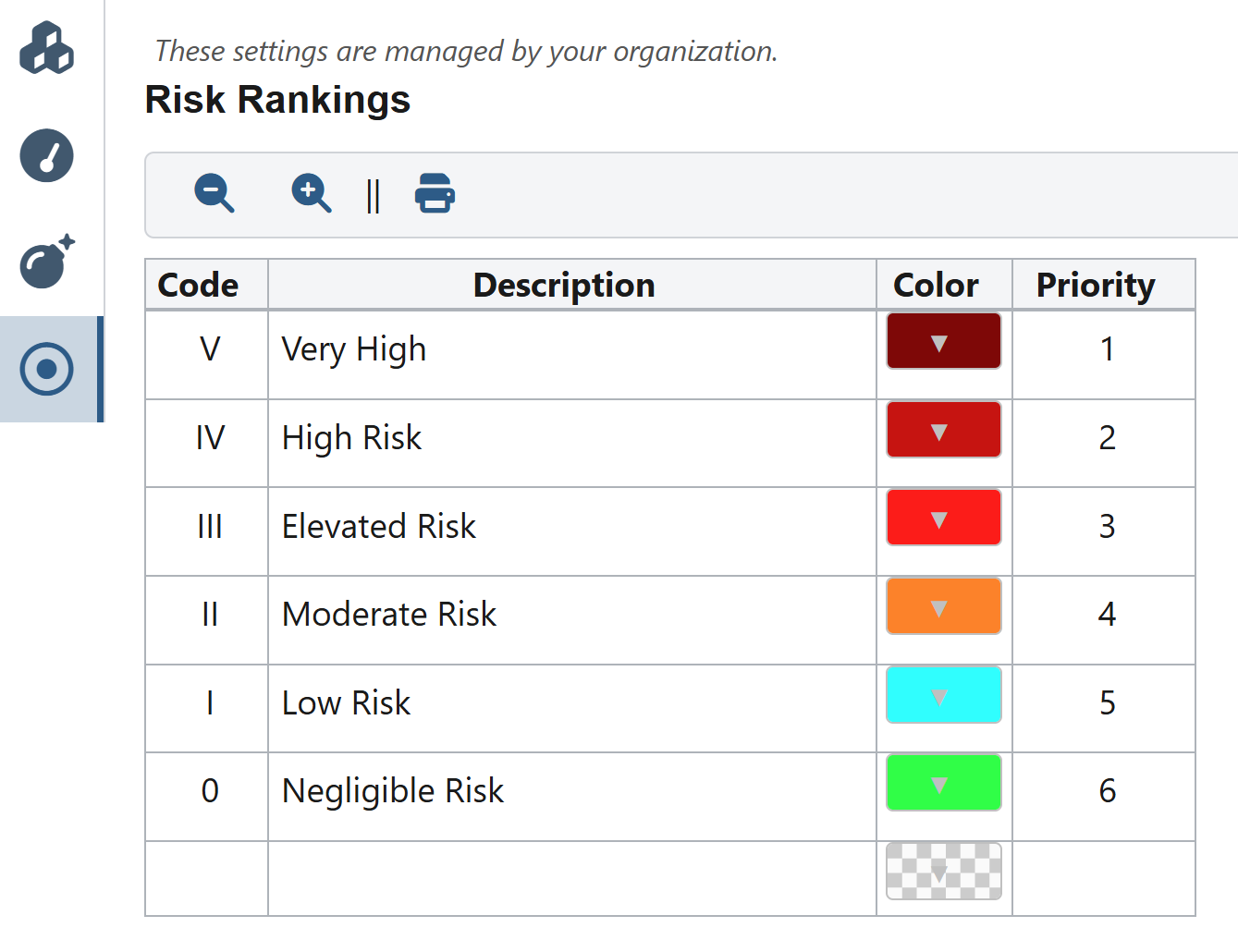
After – editing controls gone; the table stays fully readable
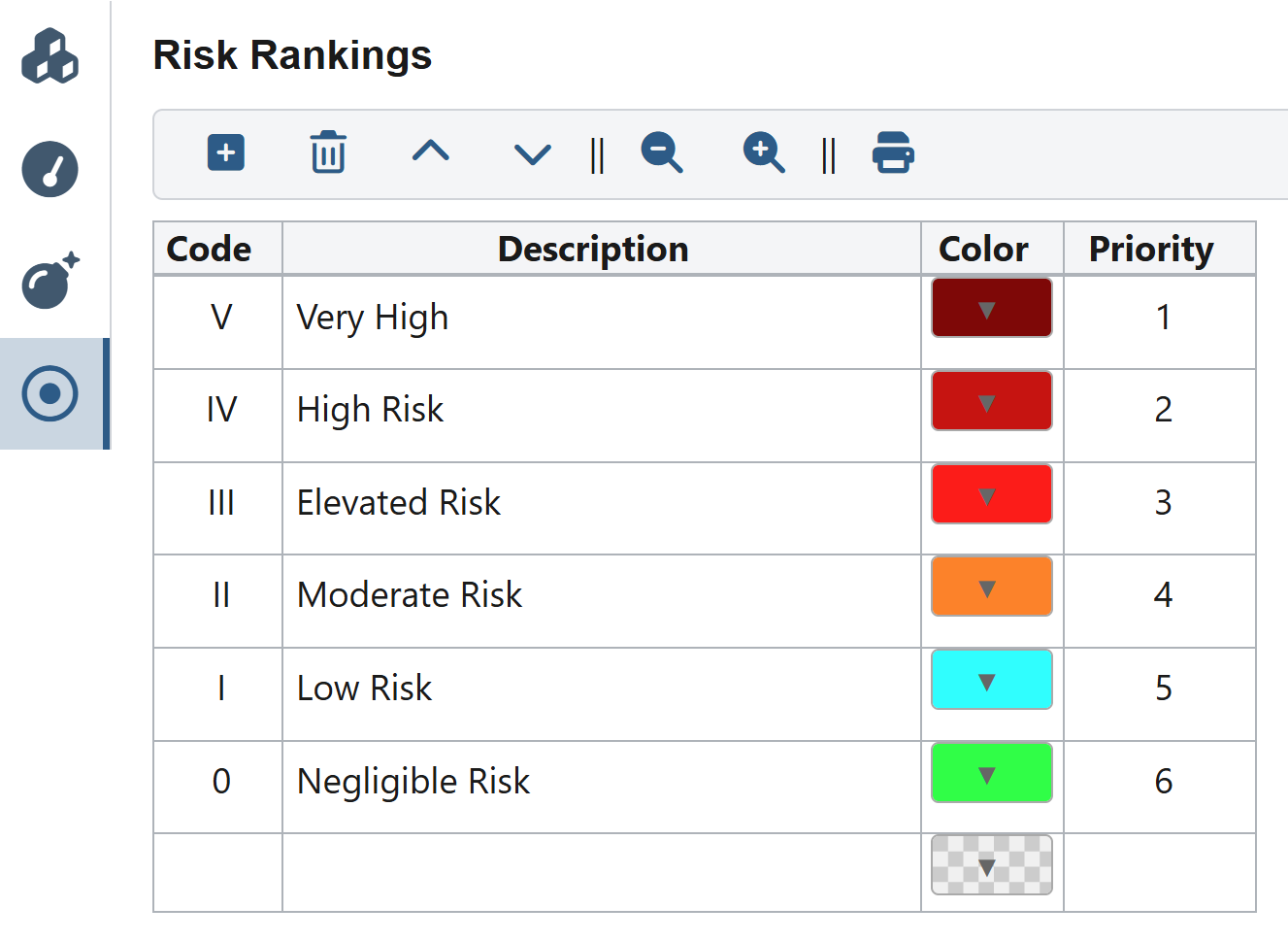
Before – add, delete, and reorder controls available
The same applies to column configuration — note the rename pencils to the right of each toggle in the first image, and their absence in the second.
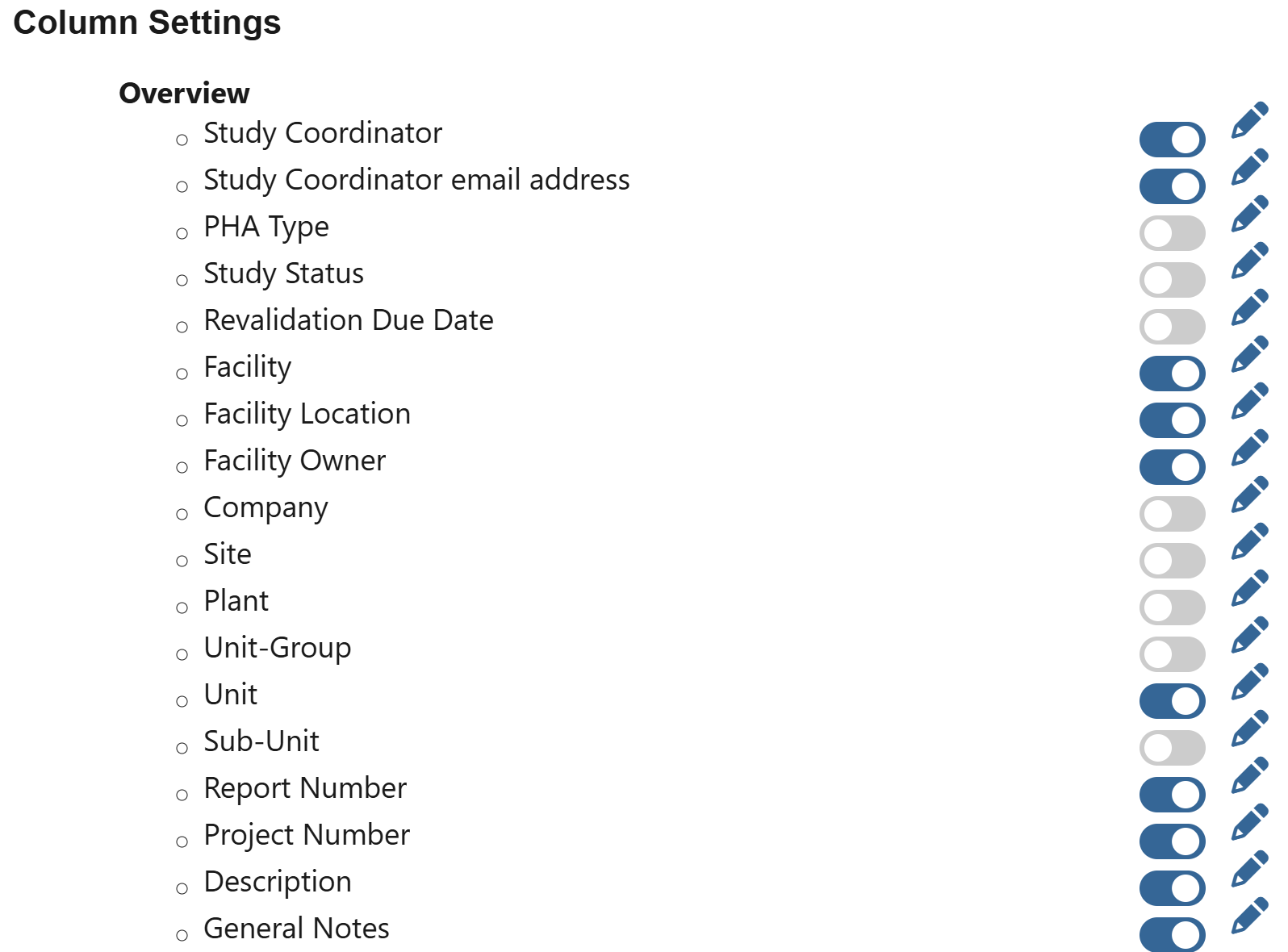
Before – a visibility toggle and a rename pencil per column.
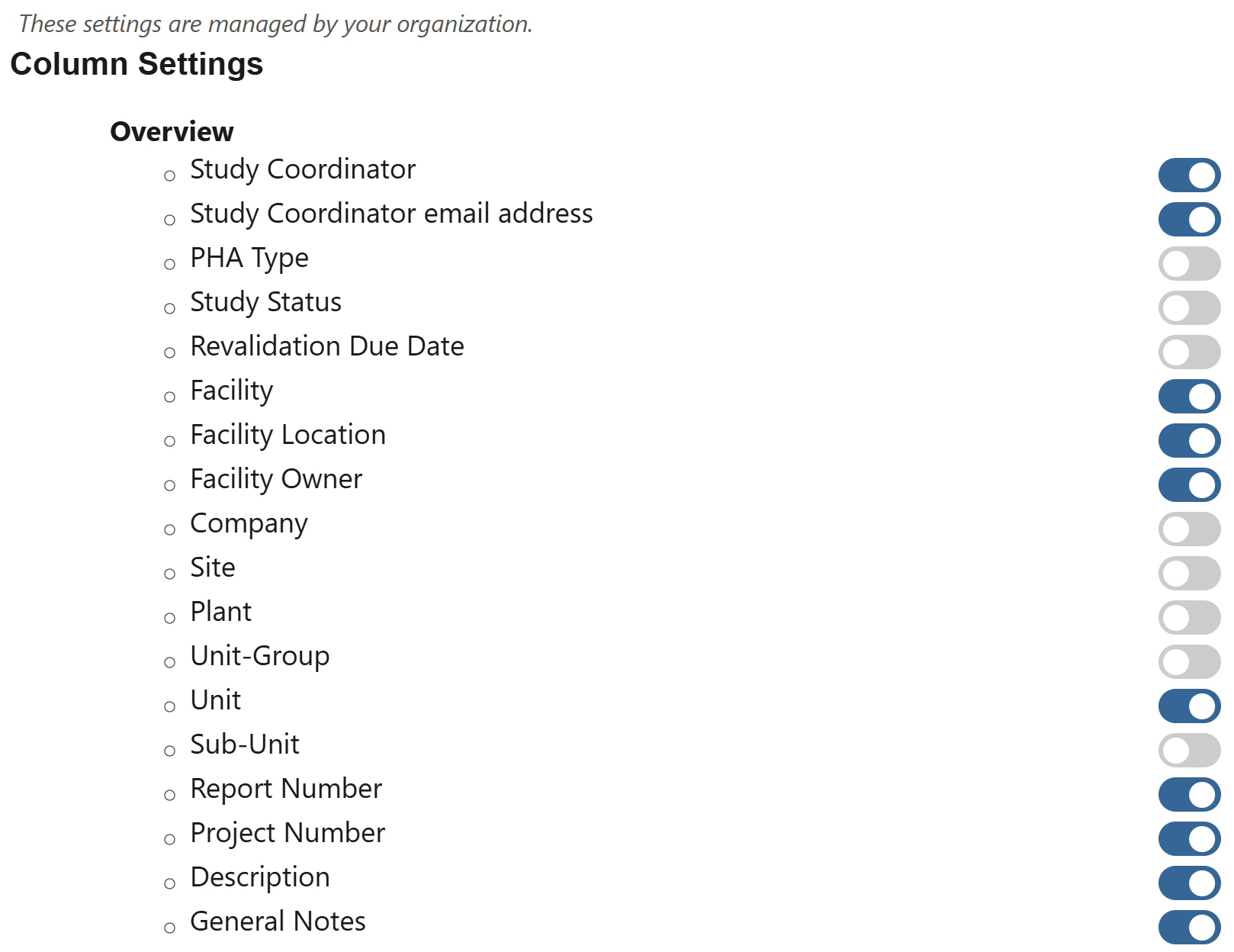
After – rename pencils removed rather than left inert.
Consequence categories behave the same way — readable, with their tolerable frequencies intact, and no longer editable.
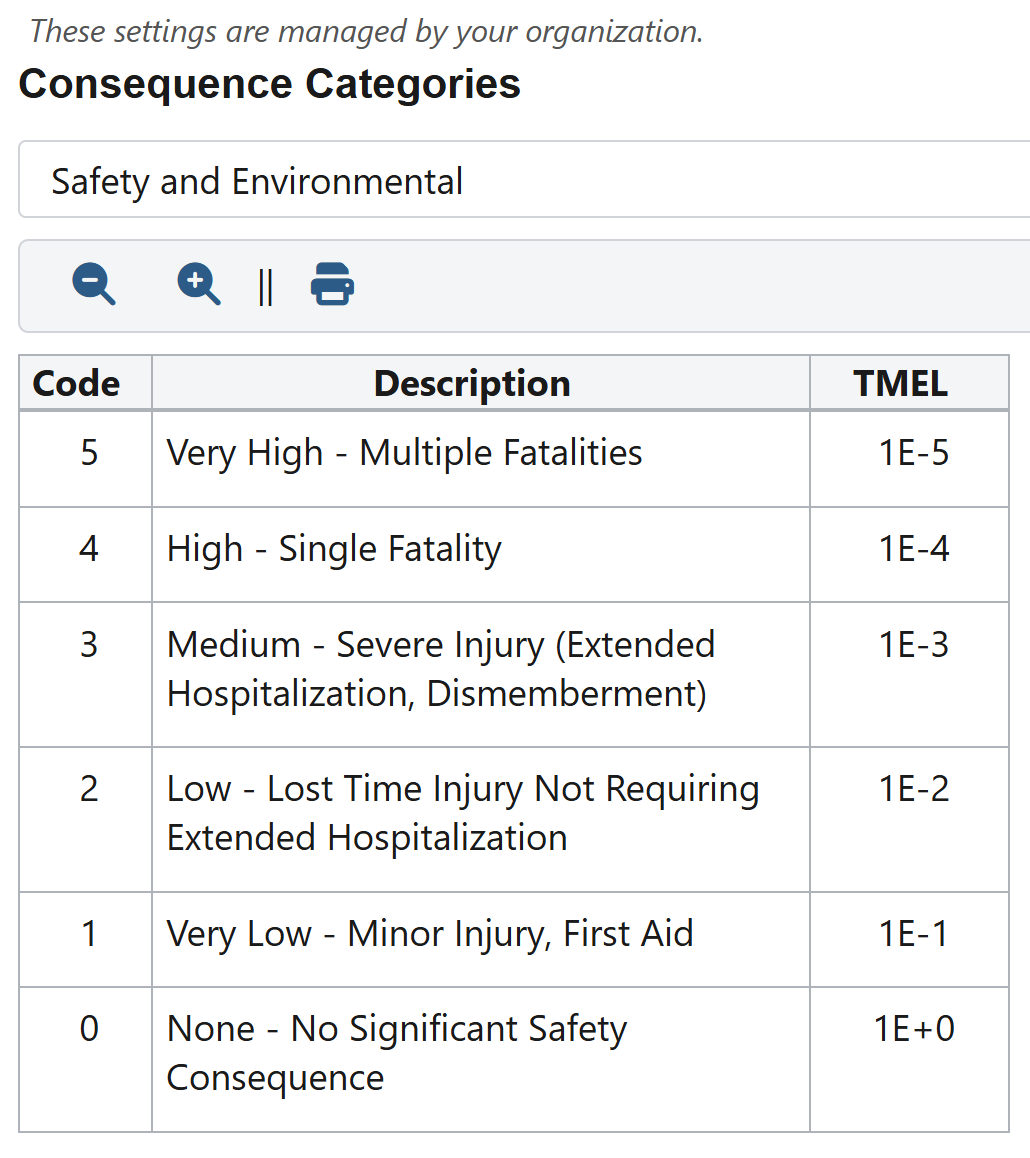
Consequence categories under a lock.
The result is that nobody files a support ticket asking why a button stopped working. They read one line and understand they’re looking at a corporate standard.
The lock follows the facility, not the person
This detail matters more than it sounds.
Governance is resolved from the organization that owns the facility the study lives in — not from whoever happens to be signed in. Two people looking at the same study always see the same thing.
That means when a consultant or a contract facilitator works inside your facility, they work to your standard, not the one their own organization uses. It also means there is no special path around it: the lock applies to every user, including Kenexis staff. If we need risk criteria changed on a locked study, we ask your administrator to unlock it. There is no back door, and we think that’s the only version of this feature worth shipping.
What it deliberately does not do
Worth being just as clear about the boundaries.
It does not rewrite your existing studies. Turning a lock on freezes settings in place — it does not reach back and conform completed PHAs to a new corporate baseline. A finished PHA is a historical record of how a team assessed risk on a given day, and quietly rewriting one would destroy its value. Convergence comes from new studies inheriting the corporate template, not from mutating old ones.
It does not touch personal preferences. Auto-save, presenter mode, the scenario context bar, tab visibility, and item numbering are all still up to each user. Those are working preferences, not corporate standards, and locking them would only be annoying.
It is a control inside the application. The locks remove these settings from the Open-PHA® interface for everyone in your organization. They are a strong, visible guardrail around how your teams work day to day — not a cryptographic seal on the underlying record.
Turning it on
- Sign in as an organization administrator and open Organization Admin ▸ Security & Privacy.
- Scroll to Open-PHA Governance and enable the controls you want.
- If you’re enabling the template requirement, publish at least one Study Template to a library your users can see first — otherwise new studies can’t be created.
- It applies to every Open-PHA® study in the organization immediately.
Every organization starts with all three switched off, so nothing changes for anyone until you decide it should.
Consistency across sites is not a documentation problem. It’s a configuration problem, and it belongs where the configuration lives. If you’d like a walkthrough against your own corporate risk criteria, get in touch — we’re glad to run through it with your team.
Kenexis® Open-PHA® is part of the Kenexis Integrated Safety Suite.