
Sooner or later, someone asks the question every SIS engineer knows: can we test that less often?
Maybe turnarounds are moving to a longer cycle, and a set of devices can only be tested with the unit down. Maybe the maintenance budget is being cut. Maybe operations want fewer bypasses, since every test that pulls a device out of service leaves a gap in protection. The question is fair, but the answer must be right: each safety function must still deliver the risk reduction it was designed for.
The Test Interval Optimizer in Kenexis® SIS, part of the Kenexis Integrated Safety Suite, is built to answer that question. With the new Export to Excel, the answer can go straight to the people who must approve it.
The Problem: Trial and Error, Then a Memo
Working out a longer interval by hand is repetitive. You lengthen a device’s interval, recalculate the average probability of failure on demand (PFDavg) and check it against the target. Then you remember the transmitter also serves two other functions, so you check those too, and then you try the next step. Across dozens of functions and hundreds of devices, that loop takes a long time, and every manual pass is another chance for a transcription error.
Getting the engineering right is only half the job. The result then must reach a maintenance planner, an operations manager, a management-of-change (MOC) reviewer and often the client, and most of them will never open the SIL calculation. Too often that step means a screen-share, a pasted table, or a memo rebuilt by hand from the calculation tool.
Test Interval Optimizer: Let the Engine Find the Answer
Kenexis® SIS already stores everything a test-interval question depends on — each instrumented protective function (IPF), its required risk reduction factor, and the sensors, logic solvers, and final elements behind it, along with their failure data and voting. The Test Interval Optimizer puts that data to work automatically.
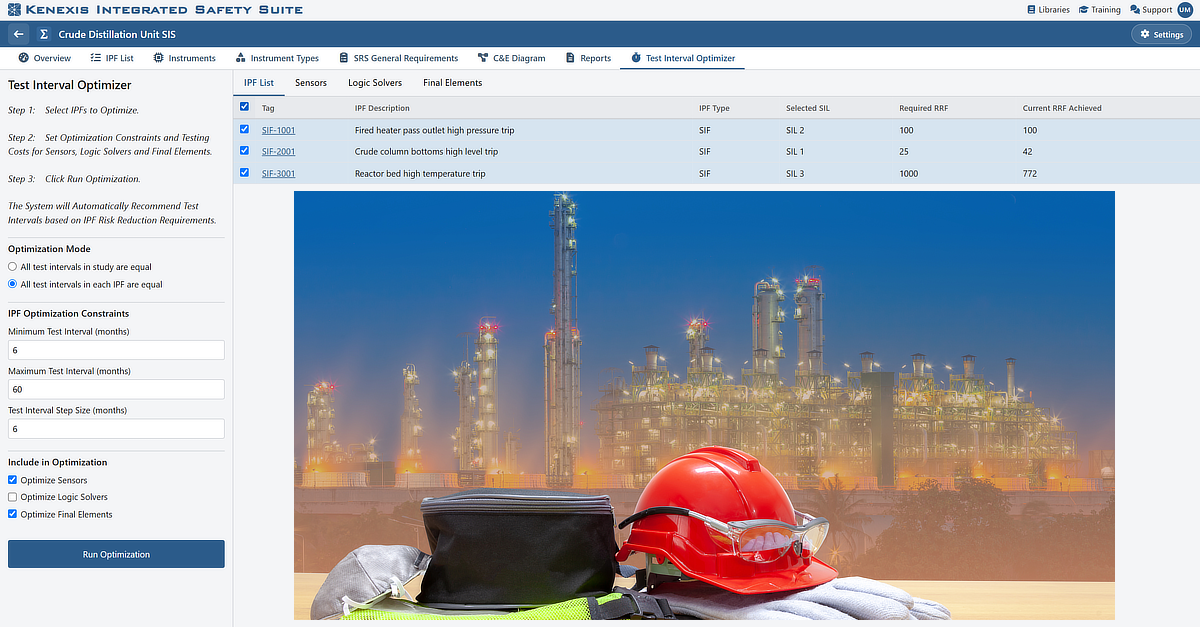
Running it takes three steps: pick the functions to evaluate, set your constraints (min/max interval, step size, and which device types can be adjusted), and click Run.
Results are visual and immediate: green/red pass indicators per function, current vs. recommended intervals per device, and a way to jump straight from a function to its affected devices. Nothing changes in the study until you explicitly accept it — one device, one function, or all at once.
New: Excel Export. A one-click export turns the on-screen run into a timestamped Excel workbook — clearly marked PROPOSED, never auto-saved to the study — with three sheets: a manager-facing Summary (who ran it, what changed, what didn’t meet target), a reviewer-facing IPF List (target vs. achieved RRF/SIL per function), and a planner-facing Devices sheet (interval changes and which functions each device serves). Frozen headers and filters make it easy to navigate, and no Kenexis login is required to open it — so it can move through MOC, approval, or client review as a simple attachment instead of a meeting.
Built for shared review: anyone with view-only study access can run the optimizer and export a proposal; only edit-rights users can actually commit changes, keeping the study of record protected. Available in English, Portuguese, and Simplified Chinese.
Bottom line: the optimizer handles the technical search, and the Excel export turns that result into something a manager can review and sign off on — before anything actually changes.