
When we ask Kenexis® Open-PHA® users what would make their day easier, one answer comes up again and again: give us Undo. It’s one of the requests we’ve heard most often from PHA facilitators and scribes, and today we’re happy to say it’s here. Kenexis® Open-PHA® Cloud now has full Undo and Redo.
It sounds simple, and in a way it is. But anyone who has run a hazard review knows how much a missing Undo button costs.
The moment every facilitator knows
A process hazard analysis is live work. The team is in the room (or on the call), the P&IDs are up, and the discussion is moving. The scribe is typing causes, consequences and safeguards as fast as people can say them. In that setting, small slips are inevitable:
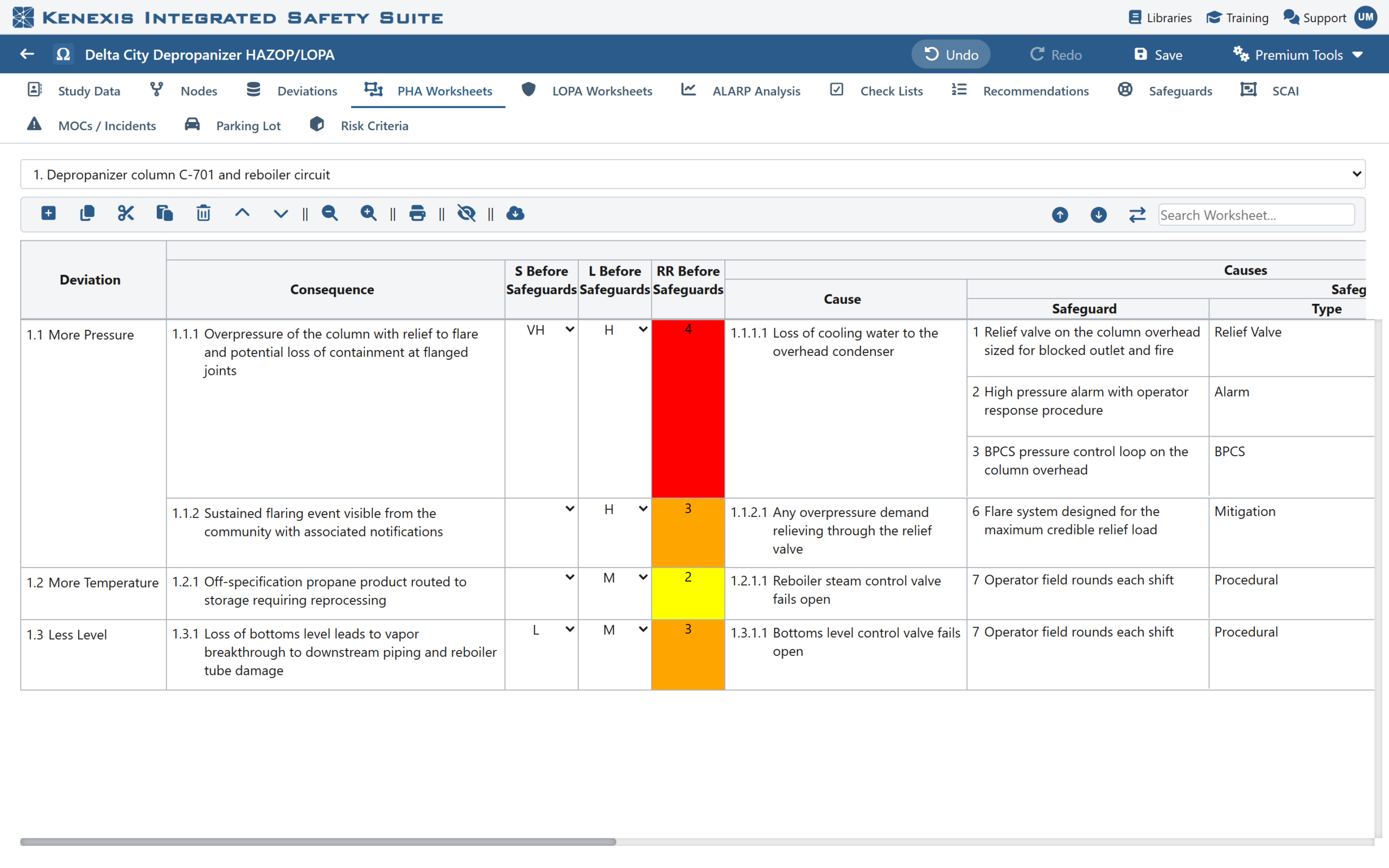
Figure: A cause row deleted by mistake. The Undo button in the header lights up, ready to put it back.
- A row gets deleted when you meant to delete the one below it.
- A block of rows is pasted into the wrong node.
- A Replace All changes far more cells than anyone intended.
- A cell is overwritten, and nobody can quite remember what it said before.
Until now, recovering meant stopping the session, scrolling back, and rebuilding the work by hand, often from memory and often while the whole team waits. The fix might take ten minutes; the hit to the session’s momentum lasts longer. Many facilitators learned to work cautiously because of it, and that caution slows a workshop down.
What’s new
Kenexis® Open-PHA® Cloud now keeps a step-by-step history of your worksheet work, and lets you move backward and forward through it.
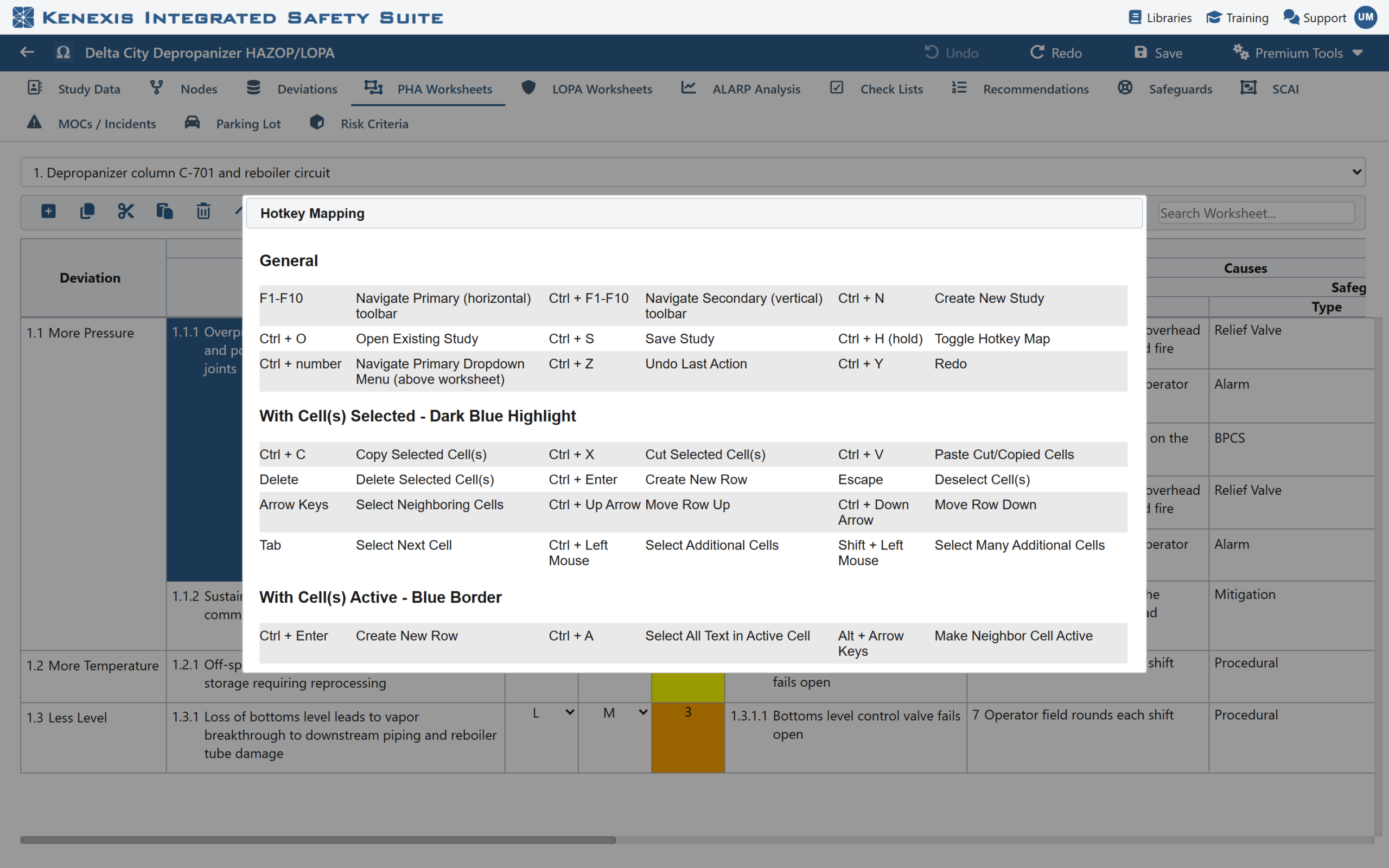
Figure: Undo (Ctrl+Z) and Redo (Ctrl+Y) are listed in Open-PHA®‘s Hotkey Mapping (Ctrl+H).
- Familiar shortcuts. Press Ctrl+Z to undo and Ctrl+Y to redo, just like in the office tools your team already uses. Ctrl+Shift+Z works for redo too.
- Two new header buttons. Prefer the mouse? Undo and Redo buttons now sit in the Open-PHA® header, so they’re always one click away.
- Real coverage of worksheet actions. Cell edits, adding rows, deleting rows, cutting, pasting and moving rows, disabling and enabling rows, linking items, and Replace All can all be undone and redone.
- Many steps deep. Undo isn’t limited to your last change. Step back through your session one action at a time, and step forward again if you go too far.
- The new shortcuts are listed in Hotkey Mapping, alongside the rest of Open-PHA®‘s keyboard shortcuts.
Undo shows you what came back
Undoing a change you can’t see is unsettling. Was the right thing restored? Was it even the change you meant?
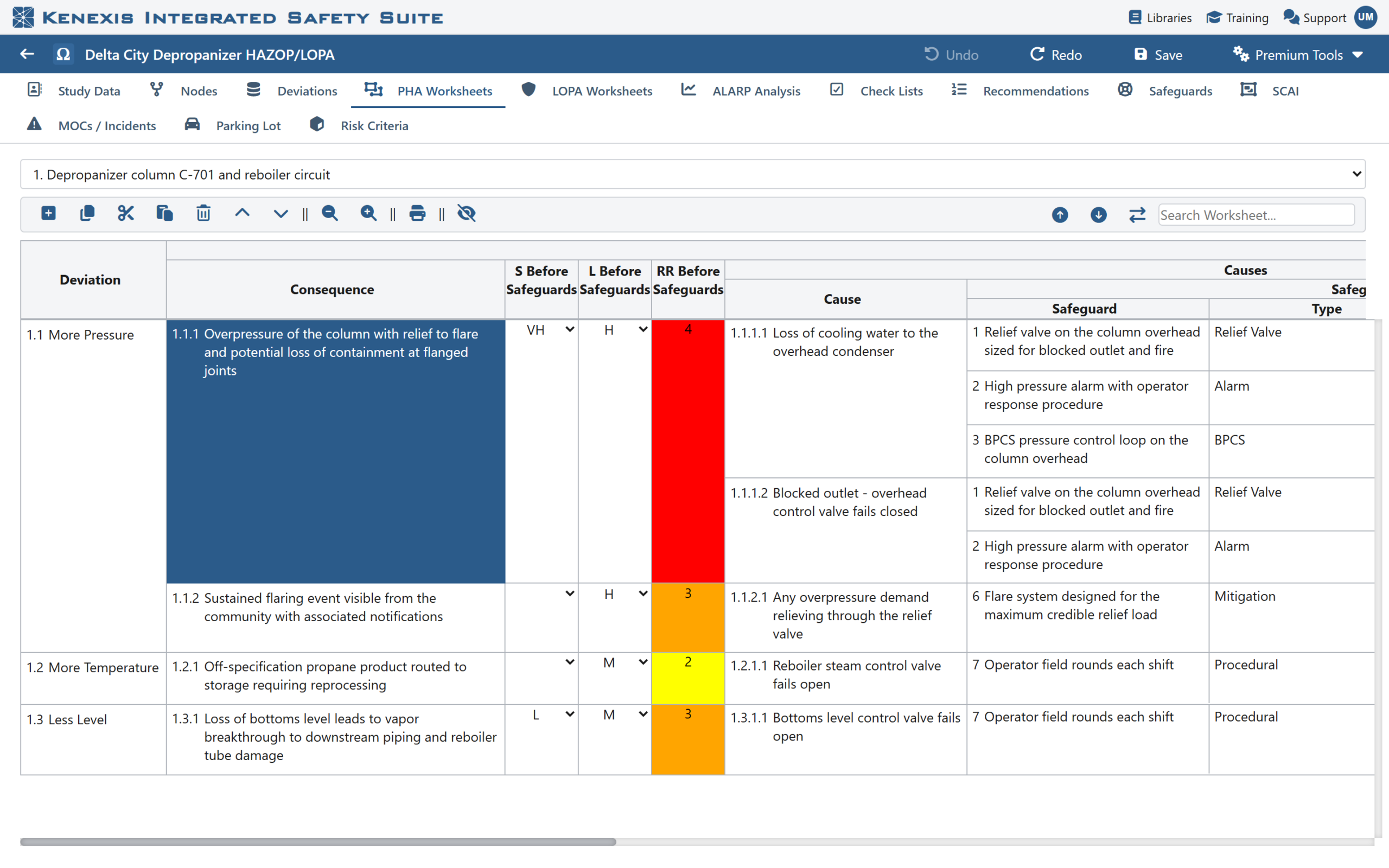
Figure: After Ctrl+Z, Open-PHA® returns to the worksheet where the change was made, restores the row and selects it. Redo is now available.
Open-PHA® answers that for you. When you undo or redo, Open-PHA® takes you straight to the place the change was made: it switches to the right worksheet and node, scrolls the change into view and selects the cell. You see exactly what came back, so nothing happens out of sight. For a facilitator sharing a screen with a room full of engineers, that matters. Everyone can see the correction happen.
Built to protect your study
Undo in a safety study has to be trustworthy, not just convenient. Before Open-PHA® applies an undo or a redo, it checks that the study is still in the state the step expects. If something has changed in a way the step can’t safely reverse, Open-PHA® tells you so instead of guessing. Your study never ends up in a half-undone state.
Undo also works hand in hand with saving. Saving your study doesn’t wipe your history, so you can save as often as you like and still step back. An undone change is simply another edit, which your next save records like any other.
A few kinds of change sit outside the worksheet history by design, such as study settings and imports. Making one of those starts a fresh history from that point, so Undo always works from a known, consistent state.
Faster, more confident workshops
The real benefit of Undo isn’t the keystroke. It’s what it does to the way people work.
Facilitators can move at the speed of the conversation. When any slip is one keystroke from being fixed, there’s no need to slow down and double-check every action. Cut, paste, reorganize and try things. If it doesn’t look right, put it back.
Less time lost, more time on hazards. Minutes spent rebuilding a deleted row or unpicking a bad Replace All are minutes not spent on the analysis. Undo gives that time back to the work that matters: identifying hazards and judging whether the safeguards are adequate.
Less stress for scribes. Recording a PHA in real time is demanding. Knowing that mistakes are easy to reverse takes a real weight off the person at the keyboard.
A smoother experience for the whole team. Fewer pauses, fewer “hang on, let me fix that” moments, and a session that stays on track.
Kenexis® Open-Audit™, too
The same Undo and Redo is also available in Kenexis® Open-Audit™ Cloud. Auditors can step back and forward through answer edits, score and weighting changes, linked items, row moves, cut and paste, and Replace All, and scores and totals update automatically as changes are undone.
Thank you for asking
Undo and Redo exist because our users kept asking for them, and we listened. Thank you to every facilitator, scribe and process safety engineer who took the time to tell us what would make Open-PHA® better. Please keep the requests coming. Your feedback shapes what we build next.
Undo and Redo are available now in Kenexis® Open-PHA® Cloud and Kenexis® Open-Audit™ Cloud, part of the Kenexis Integrated Safety Suite. Sign in and press Ctrl+Z on your next mistake, or contact Kenexis for a demonstration.