
Every process safety engineer knows the feeling. You open a new study for the next unit, the next compressor, the next site, and there it is again: the same two-out-of-three transmitter trip, the same shutdown valve that fails to close, the same operator who does not respond to the alarm in time. You have built this logic before. You have probably built it a dozen times.
Rebuilding it is not only slow. Every rebuild is a chance for small differences to creep in. A gate type changes, a test interval is typed differently, a failure rate comes from a different source. Across a portfolio of studies those small differences add up, and reviewers spend their time asking why two identical systems were modeled two different ways.
Kenexis® Fault Tree, part of the Kenexis Integrated Safety Suite, now gives process safety engineers two ways to stop starting from a blank page: copy and paste between studies, and a shared library of fault tree parts.
Copy a Branch From One Study, Paste It Into Another
Copy and paste inside a single fault tree has always been part of the tool. It now works across studies. Select any gate or event in one study and copy it, open a different study in the same browser tab, select the gate you want to build under, and paste.
The pasted branch arrives complete. Every gate, every basic event, and the event models behind them (failure rates, test intervals, repair times and mission times) come across together. If the target study already has an event model with exactly the same data, the pasted events use it instead of creating a duplicate. Titles are kept wherever they are free, and renamed to the next available number only where they would clash with something already in the study.
Most importantly, the pasted branch belongs entirely to its new study. It carries no references back to the study it came from, so you can edit it freely, and changes in the original never reach into the copy. The target study’s results are flagged for recalculation, just as they are after any other edit, so you always know when the numbers need refreshing.
For a team that analyzes a series of similar units, this turns a morning of rebuilding into a couple of clicks.
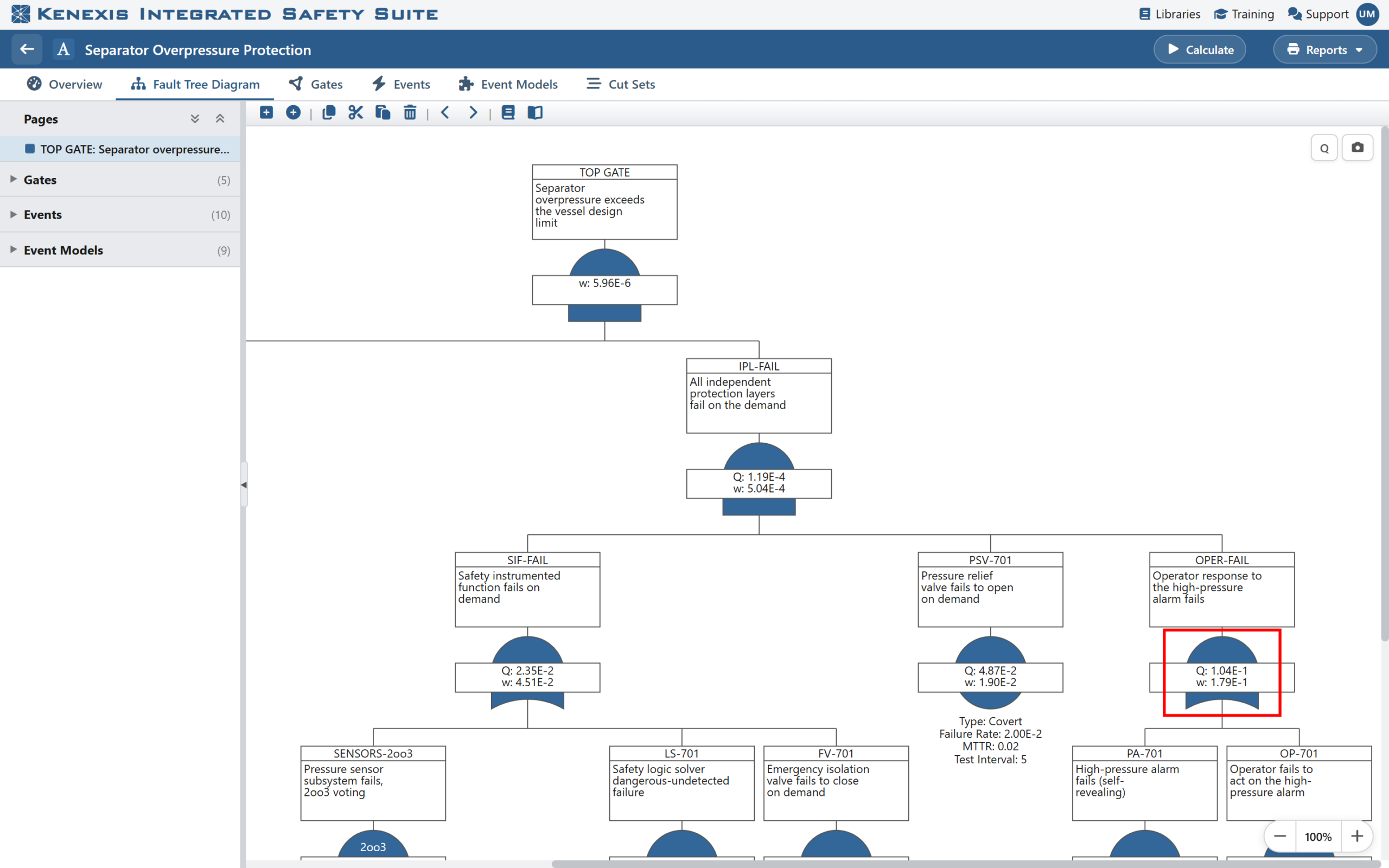
Figure: Copy a branch in one study…
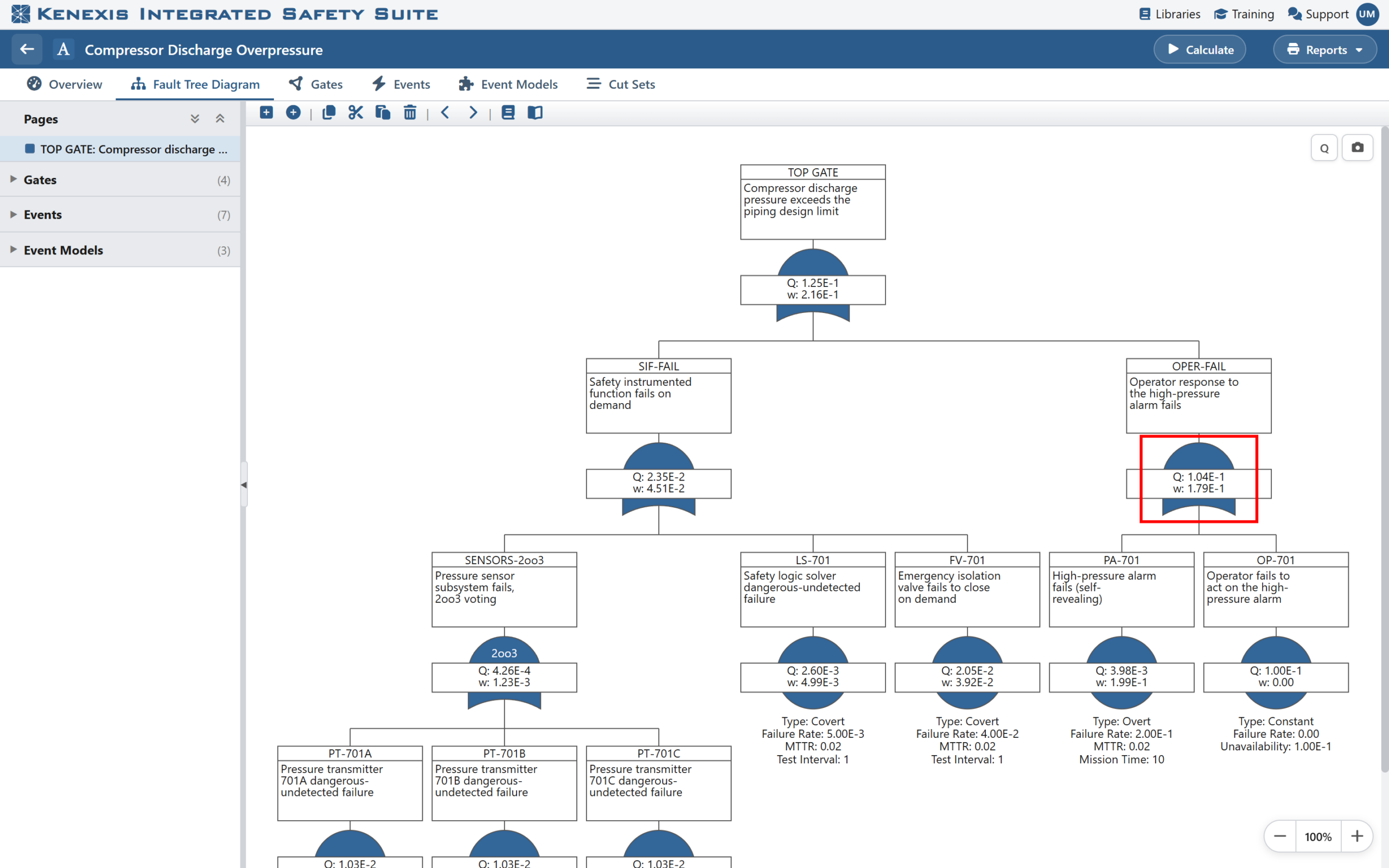
Figure: …and paste it into another. This new study was assembled from a library part and a pasted branch, then calculated.
A Library of Reusable Fault Tree Parts
Copy and paste is ideal when you know exactly which study holds the logic you want. But the most valuable building blocks deserve a permanent home, where anyone can find them.
That is what the new Fault Tree Parts library provides. From any study, select a gate and choose Save to Library. Give the branch a clear name and a description, choose the Kenexis Integrated Safety Suite library it belongs in, and it is saved as a reusable “part”. Select the top gate and you can save an entire study as a part.
When another engineer needs that logic, they select a gate in their own study and choose Insert from Library. They pick a library, browse its parts, and see a read-only diagram of each one before they commit. One more click inserts it.
Each part is fully self-contained. It carries its own structure and event data, so it keeps working even if the study it was first saved from is later deleted. And removing a part from the library never touches the studies that already use it.
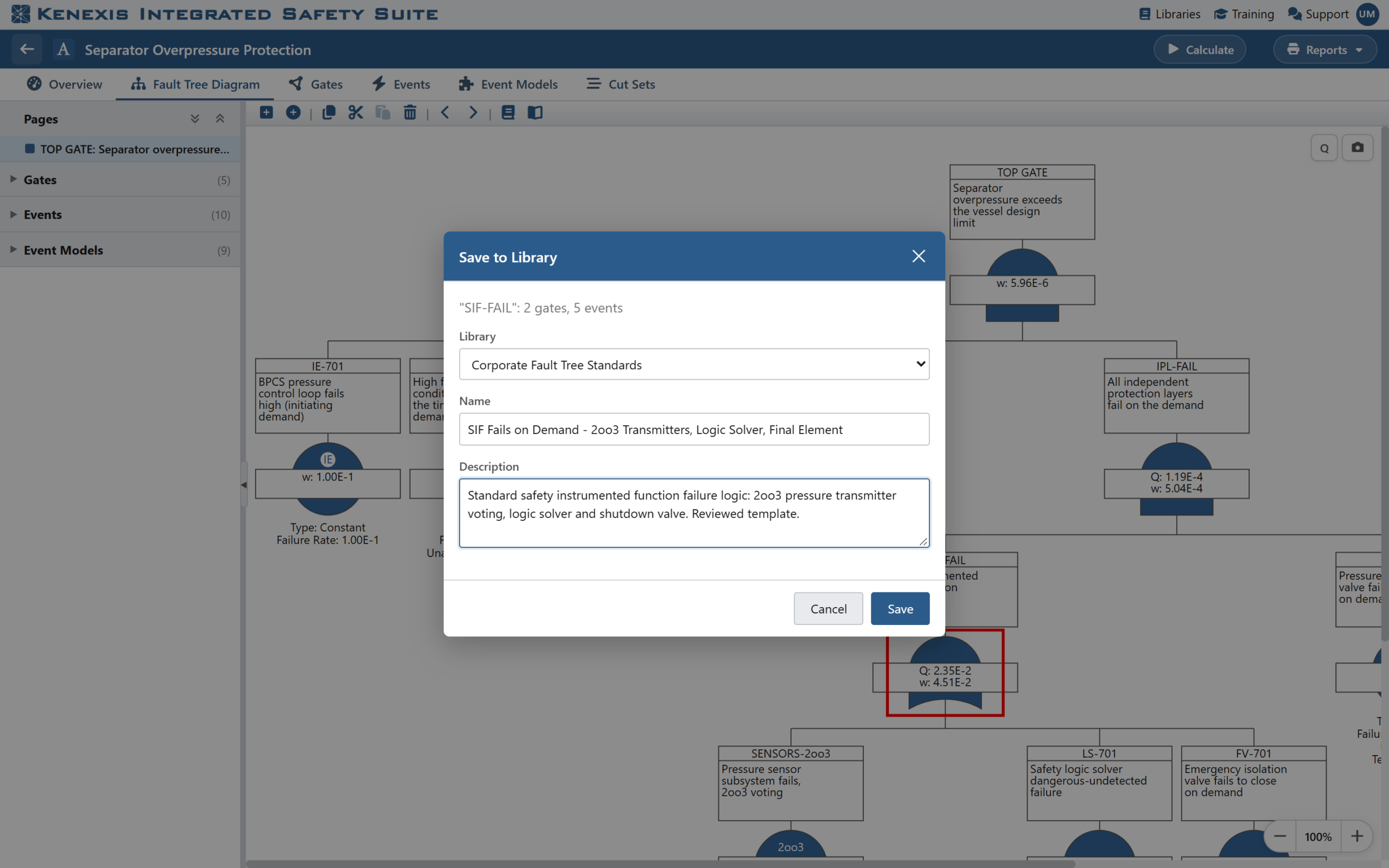
Figure: Save any branch of a fault tree to a Kenexis Integrated Safety Suite library as a named, described part.
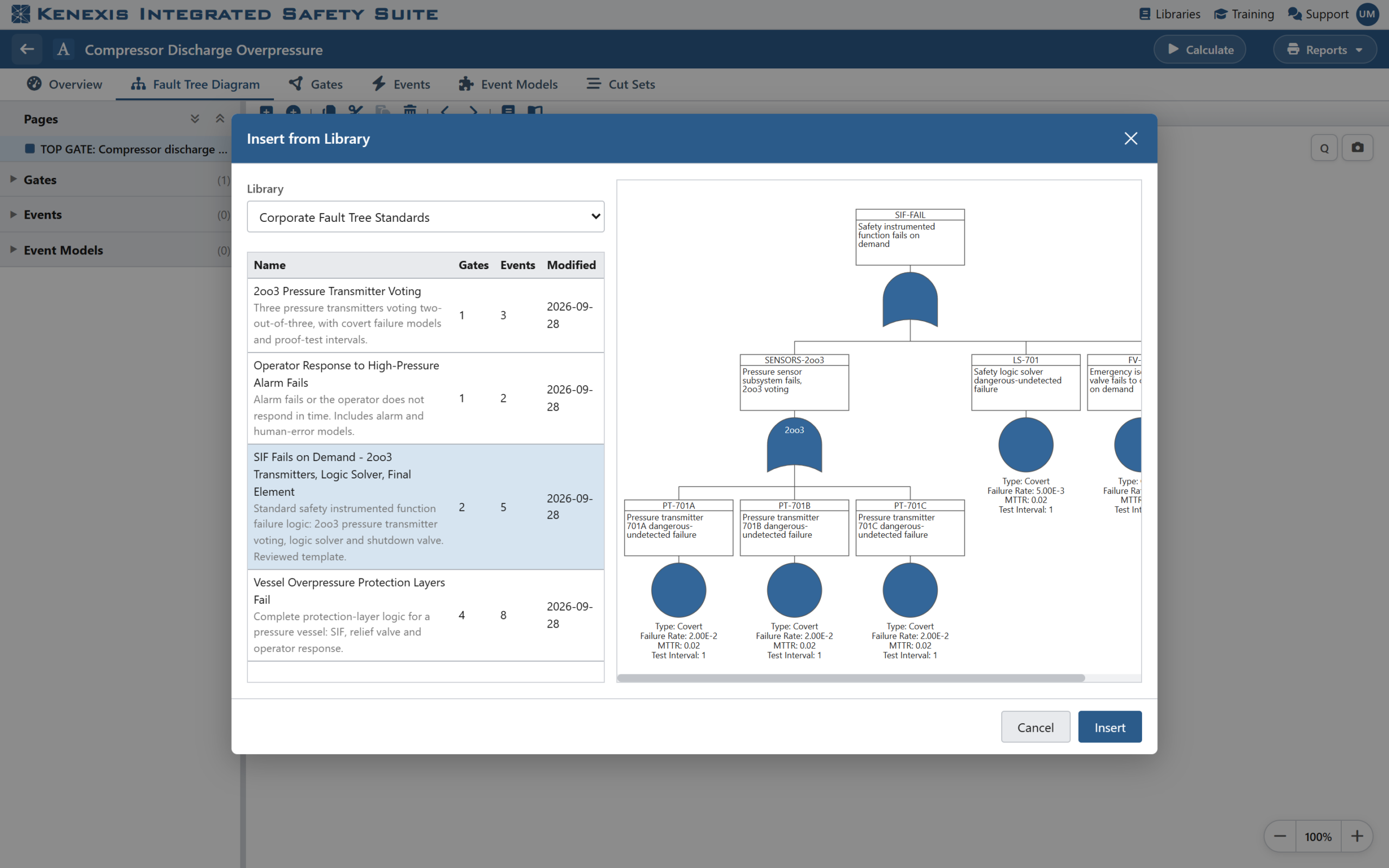
Figure: Insert from Library: browse a library’s parts and preview each one as a diagram before inserting it.
Manage Your Collection in the Library Manager
Parts live alongside the rest of your reference data in the Kenexis Integrated Safety Suite Library Manager, in a new Fault Tree Parts section. There you can filter and sort your collection, see how many gates and events each part contains and who last changed it, preview any part as a diagram, and rename, redescribe or remove parts as your standards evolve.
Access follows the library permissions your organization already uses. People with edit rights on a library can add and maintain its parts; anyone who can read the library can preview and insert them. There is nothing new to administer.
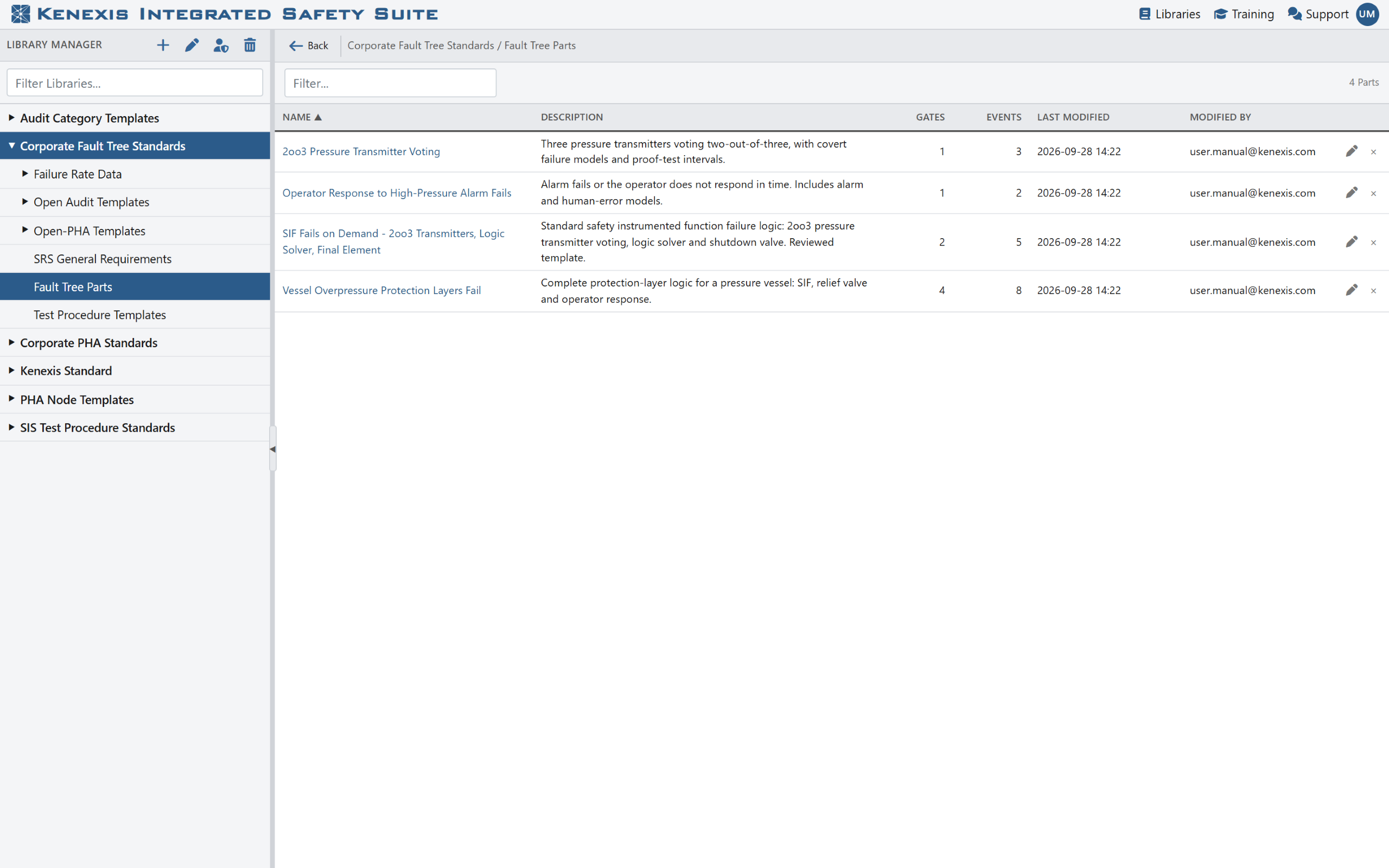
Figure: The Fault Tree Parts section of the Library Manager lists each part with its size, last change and author.
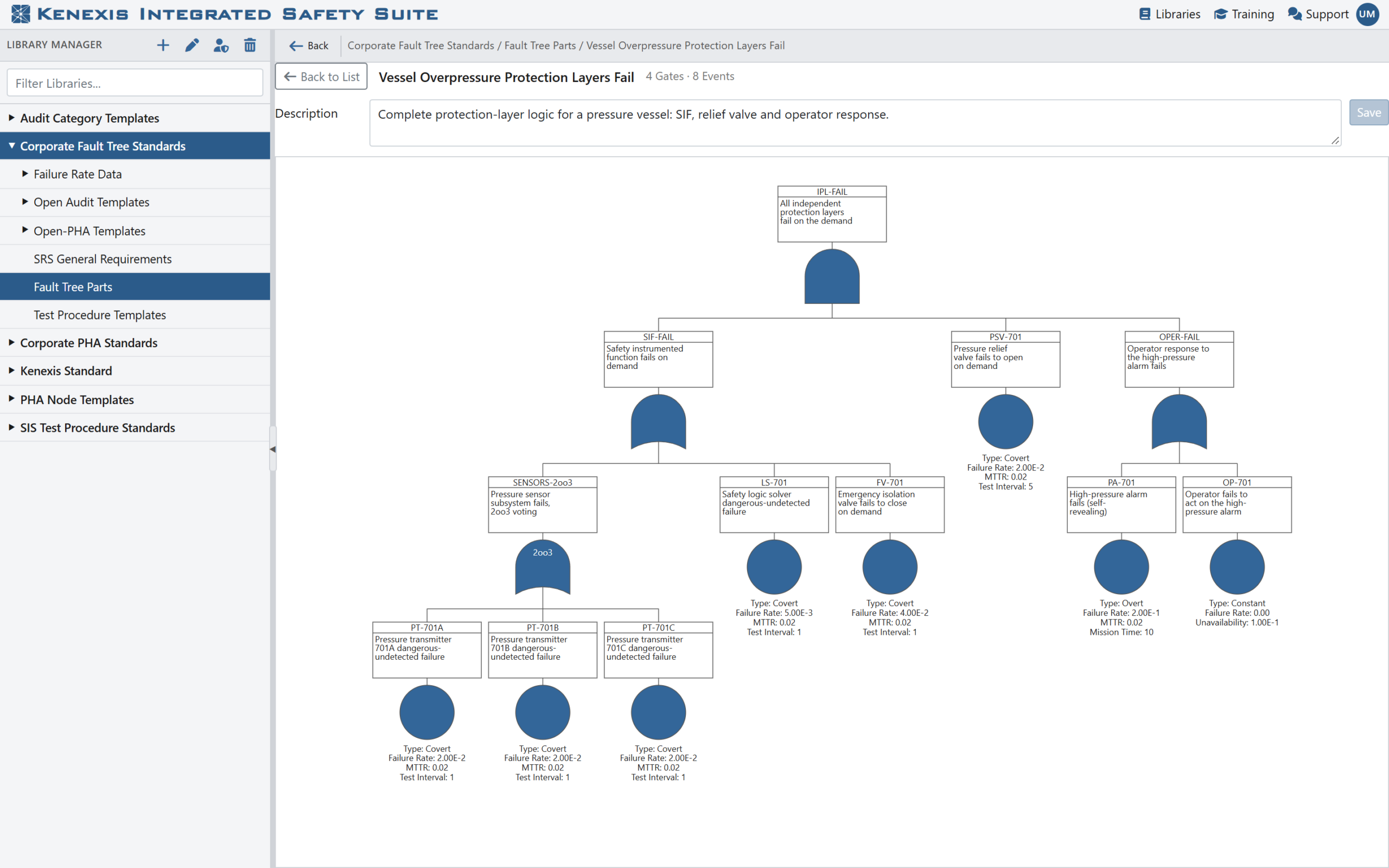
Figure: Preview any part as a read-only diagram, and keep its description up to date.
Consistency You Can Build On
The real payoff is not the clicks saved on one study. It is what happens across a whole organization when proven logic is captured once and reused everywhere:
- Faster studies. Engineers assemble new fault trees from reviewed building blocks instead of redrawing familiar systems from scratch.
- More consistent results. When every study models a standard shutdown valve or transmitter voting arrangement the same way, differences in results reflect real differences in design, not differences in how someone drew the tree.
- Easier reviews. Reviewers can focus on what is genuinely new in a study, because the standard parts were already checked once.
- Knowledge that stays. The modeling expertise of your most experienced engineers becomes a shared asset, not something that lives only in their own past studies.
Combined with the Kenexis Integrated Safety Suite failure-rate libraries that fault tree event models already draw from, parts give your organization a single, trusted foundation for fault tree analysis, from the data at the bottom of the tree to the logic above it.
See It in Action
Fault tree parts and cross-study copy and paste are available now in Kenexis® Fault Tree for Kenexis Integrated Safety Suite users. To see how they can speed up your next round of studies and bring consistency to your whole portfolio, contact Kenexis for a demonstration of Kenexis® Fault Tree.