
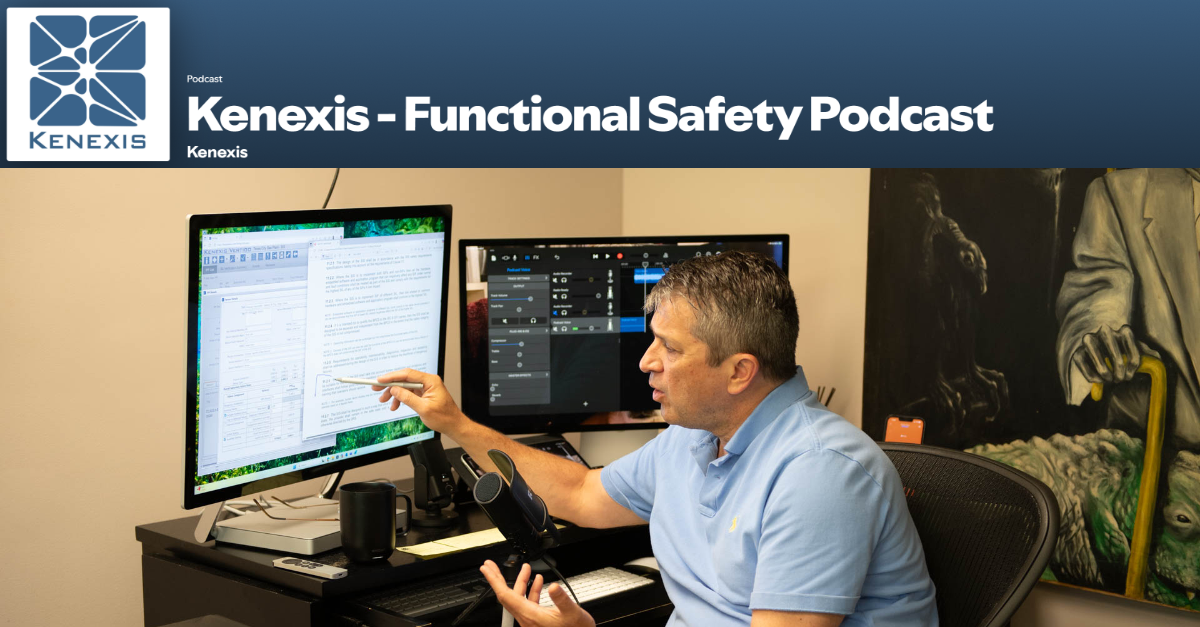
In this episode, Ed Marszal walks through all Clause 14 on SIS installation and commissioning. He begins with the objectives in 14.1, emphasizing that commissioning and validation are separate activities. He then covers planning and scheduling (14.2.1), drawing on approaches ranging from UOP’s 600 specifications to a simple manila-folder method and electronic checklists in Open PHA and Open Audit. From there he discusses proper device installation (14.2.2), the nine commissioning confirmations in 14.2.3 (such as grounding, energy sources, and remote communications), commissioning records (14.2.4), where he warns against undocumented repairs, and handling deviations from design (14.2.5), including red lines and as-built drawings. He adds field stories from his early career and ends with a preview of Clause 15 on SIS safety validation.
Tune in to the latest episode of the Kenexis Functional Safety Podcast, hosted by Ed Marszal, President and CEO of Kenexis. Now available on Spotify and Apple Podcasts, Ed offers his expert insights on the IEC 61511 standard.
With decades of experience in safety instrumented systems and as a Principal Engineer, Ed has a unique perspective to offer. He has been an active contributor to the ISA 84 committee since 1994, adding to his deep understanding of the field.
In this inaugural season, Ed delves into the IEC 61511 standard, unpacking the meaning behind each word and providing a thorough interpretation of its application. Through personal stories from his career and committee work, he offers valuable context and insights for professionals in the industry.
Full Episode Transcript
Episode Preview and Introduction
The SIS has been built. It has been tested. It’s sitting on the factory floor waiting to be installed. Now we begin installation and commissioning where all kinds of new stuff can go wrong. Welcome to the Kenexis Functional Safety Podcast. I’m your host, Ed Marszal, President and CEO of Kenexis. Kenexis is a technical safety consultancy that helps chemical process industry companies to analyze risk and design engineered safeguards like safety instrumented systems and fire and gas detection systems. Kenexis also provides the industry-leading suite of software tools, including our best-in-class Vertigo software for SIS safety lifecycle management.
In this first season of the podcast, we are going to focus on the IEC 61511 standard, doing a deep dive into the standard, including more depth of information on what the standard means and how to apply it, brought to life with personal war stories and behind-the-scenes discussions of the committee members as we develop the standard in ISA 84 and IEC SC 65.
Before we start, a little disclaimer: I will be providing my opinion on technical and engineering topics. This information is provided on a best effort basis and is of a general nature. The information presented in this podcast might not be applicable to your specific application. It is the obligation of every engineer to thoroughly analyze any system that they are designing and not blindly rely on any general advice presented in this podcast.
Installation and Commissioning Phase Overview
All right, now that we’re done with factory acceptance testing. We have our logic solver integrated system sitting on the factory floor. Or maybe you’re the type of company that stick built it In the field, and what however that happened. We’re now ready to go into the installation and commissioning phase. Now, in terms of installation, there’s really not a whole lot that’s going to be different between a safety instrumented system and any other type of instrumented system that you might be installing.
But on the commissioning side, you need to make sure that the safety aspects of the instrumentation and control have been implemented as per the safety requirement specification. And that might include additional installation details that might not be present for your typical basic process control system instrumentation. So, the rules and regulations and requirements for doing SIS installation and commissioning are contained in clause 14. Clause 14 is the subject of today’s discussion.
Clause 14.1 Objectives
So clause 14 is titled SIS Installation and Commissioning, and as you would expect, it’s going to begin with a clause 14.1 that lists out the objectives. So, objectives, once again, are non-normative. There’s really nothing you can, there’s not a requirement that sits in the objectives, the requirements are in the requirements. So it’s just kind of giving you an informative view of what you should be trying to accomplished during installation and commissioning.
So clause 14.1 states that the objectives of the requirements of clause 14 are to do two things or two bullet points. Number one, to install the SIS according to the specifications and drawings. And you’ll note that it doesn’t say according to the SRS, it says according to the specifications and, specifications are plural. So, here we’re automatically and quickly acknowledging that there’s a lot more to the specifications for the equipment that the SIS is comprised of beyond the SRS information.
So the SRS information is part of the specifications, but there are other specifications such as installation details. Well, I guess technically installation details would be drawings. So, all of the specifications, all of the drawings are part of that installation process that you need to comply with. And once everything has been installed, then you need to do the commissioning. So, installation is taking the devices out of the boxes, carrying them out to the field, plumbing them up, piping them up, wiring them up, making the appropriate connections in accordance with all those specs and drawings.
Commissioning is It’s not validation, it’s not testing, it is basically the process of turning it on and making sure that it works. So, we’re going to turn it on, we’re gonna check the calibration, or actually, we’re gonna perform a calibration because it did just come, you know, out of the box, and make sure that everything works, that all your loops are wrung out and so on.
Now, the clause, so yeah, the bullet point was commission the SIS so that it is ready for final system validation. So that’s the second bullet point of 14.1. And we’re leading up to a validation, but we’re not performing the validation here. So we’re wringing out the loops, making sure that everything works, it’s wired properly, it’s powered up.
Now, there is a note to clause 14.1 that we need to consider. That note states: the purpose of commissioning activities is to ensure that each of the SIS devices is individually ready to operate as specified in the design phase. So, commissioning makes sure we’re ready to operate, but we’re not operating yet. We’re not doing our final validation yet. We’re just getting everything ready to go so that we can perform that validation test that’s going to be required before we introduce hazards to our process. So, installation and commissioning, install it and then turn the power on, calibrate, and make sure everything’s working. Okay, so let’s move on now. That’s clause 14.1.
Clause 14.2.1 Installation and Commissioning Planning
There are going to be 14.2 is it. So there’s clause 14.1, 14.2. 14.2 contains the requirements, and 14.2 is going to contain five subclauses of what are the activities that are required to happen and the parameters associated with those activities during the installation and commissioning process. All right, clause 14.2.1 under requirement states: installation and commissioning planning shall include all activities required for installation and commissioning. The planning shall provide the following: so the first requirement is that you put together a plan for how you’re going to do the installation and how you’re going to do the commissioning.
Now, the installation planning is going to be something that’s usually handled by a construction company. And it is very standard with regards to instrumentation and control, there’s very little difference between what you would do for an SIS instrument installation and a BPCS instrument installation. As a matter of fact, if you’re building a new plant, the SIS instrument installation will actually be part of the overall construction plan. It’s not going to be a separate plan because, well, construction is what construction is. It’s not a SIS-specific activity.
But once we get into commissioning, now we’re going to be more focused on putting together a plan that is specific to the commissioning of the SIS equipment as its own separate package. So, yeah, installation planning generally handled by the contractor who’s doing all the instrument installation of all the instruments. But commissioning planning is going to be its own animal. So I would expect different plans. Now, what does a commissioning plan look like? It can be a lot of different things.
Historically, when I was out in the field in the 90s, starting in the early 90s, there was a process that we used to do commissioning. I think I’ve mentioned before, I started my career as a field advisor at UOP. So commissioning is what I did. The you know, the smart guys, experienced guys back in the office would write specifications and then they would send us noobs out to the middle of nowhere that nobody wants to actually go visit where they’re building these plants, and we would check the installed equipment against the specifications and resolve any discrepancies between them. And as you’ll see, that’s going to be part of this. The commissioning requirements is going to be resolving the discrepancies.
So we always had a plan and at UOP, our plan was the 600 specifications. So the 600 specifications was instrumentation and control. And one by one, one instrument at a time, you would check every instrument to make sure that it was the correct instrument, it was configured properly, it was installed properly and wired up, and so on. So that commissioning plan was just a matter of going through that 600 specs one page at a time and checking and making sure everything was true. In the construction world, beyond that, what you usually see is the, I like to call it the manila folder method.
So, every instrumented system is going to be broken down into individual loops. And from a project management and a legalistic perspective, you’re going to, or accounting perspective, if not legalistic, you’re going to purchase one loop at a time. So basically, you’re going to M make sure that it is acceptable as it is handed over from the construction company to the operating company. And this, so the instrumentation is broken down into a series of loops, and each loop is going to have a loop folder.
So, what does the loop folder involve? The loop folder involves all of the documents that are associated with that loop. So it will include specifications of the instruments, it will include loop diagrams, it will generally include the P and ID that that instrument is on. And if your commissioning is separate from your calibration, there will be a calibration. Well, either way, there’s going to be a calibration sheet in that folder, whether it was done ahead of time or it was done during the commissioning process. So, um, that the plan, if you will, is well, just a pile of manila folders that we’re going to go through one at a time and check everything out for each loop, and if the loop passes so it met all the requirements.
You’ll put it in the done folder, or you’ll put a certain mark on the outside, maybe a checkbox. Maybe you’re gonna put a green sticker on it, and then if something fails, you’re gonna have some sort of deviation record. So, whether that’s a punch list, whether that’s problems on the outside of the manila folder, a sheet inside the folder that it contains problems with that loop, and then you take the failed loop checks, if you will, and you’re going to put them in a separate pile, and the commissioning is done when all of the folders are in the accepted pile, and you’ve bought all the loops.
So that’s kind of a typical plan. It’s a little bit, um, shall we say, a little bit old school to do that, but it’s still exceedingly common. Whereas, uh, where we really want to move to in this virtual world is tracking all of this commissioning using electronic tools. So, in terms of tracking things in electronic tools.
Open PHA and Open Audit Commissioning Tools
Hey, guess what? Kenexis Integrated Safety Suites got a couple of tools that could be helpful in this regard. The first one of them being the A calibration, I’m sorry, not a calibration, a commissioning checklist. So you could go into Open PHA and you can create a commissioning checklist for each instrument because one of the pieces of paper that sits in that manila folder, the old school way of doing things, is kind of a checklist of all the things that you’re going to need to do.
And if you do it electronically, then it’s available to everyone, it’s available to project management, you could, you know, track what’s going on, and also, as you know, in that Open PHA framework, you can link to things like loop drawings, you can link to spec sheets, you can link to other documents, safety manuals that are all part of this process. So instead of having a pile of manila folders, having an open PHA file that is your commissioning checklists is a really neat way to do that.
Another one of the tools would be to use the open audit tool with each instrument again, being a a section of the of a protocol and each instrument would have its own checklist of items, and there the evidence folders are a little bit cleaner. So, definitely, if you’re looking at ways to put your commissioning in the cloud and a facilitate and assist the planning. Definitely look into Open PHA, Open Audit. I mean, those tools are available for free. Desktop versions of both of those tools are available for free. And as a matter of fact, I think we’ve got some sample checklists for you that you can use for those processes.
So, doing the planning is essentially making a list of all of the loops that are part of your SIS and putting together checklists of the activities that you’re going to need to perform for all of those loops. But that’s my professional opinion as somebody who spent the early part of their career flying around the world doing this.
Planning Activities, Procedures, and Scheduling
Let’s get back into the standard itself because 14.2.1, I just gave you the stem. There are four bullet points and another additional point beyond that. So let’s hit the bullet points of 14.2.1. First bullet point is that the planning provides the installation and commissioning activities. So, what is it that you are going to do? What are the steps that need to be undertaken? Again, if I’ve got an open PHA file with a list of loops and a list of activities in the checklist per loop, there you go. Those are your activities.
Next bullet point states that you need to provide the procedures, measures, and techniques to be used for installation and commissioning. Now this is interesting. Procedures. So how are you going to perform these activities? Should be fairly straightforward on the commissioning side of the fence.
The measures and the techniques. So techniques to do things should be described kind of as part of the procedures. I would also kind of state that you’re going to need parameters and tools. So that’s kind of a part of a description of the activities that when you’re checking out instruments. How you’re going to do it is a critical part of it, and what the settings need to be for your instruments.
Bullet point three states that you need to provide to a document to plan when these activities shall take place. So who’s doing what when? Some sort of scheduling is essential here, especially during these major construction projects or turnarounds. There’s thousands of people on site tripping over each other. So, some planning as to who is going to do what when is also very efficient and very appropriate. So, again, now going back to OpenPHA and Open Audit, we have sessions that are going to allow you to do those scheduling. So, you know, we set up all the days, all the people as sessions, and assign different activities to different sessions, and that’s going to help you with that type of planning.
And finally, the last bullet point is that you need to plan the persons, departments, and organizations responsible for these activities. So the reason that that kind of is a little bit overstated is because the committee members don’t know who’s going to be doing what.
So you might say, okay, well, this contractor is going to do these tests, or you might say, well, the instrument department is responsible for this, the operations department is responsible for that. Or you may be able to use some sort of computerized maintenance management system to drill it down to the specific technician who is going to be doing things. So, when is it going to happen, and who is going to do that? And you know, hopefully, I don’t sound like I’m beating a dead horse, but the open PHA and the open audit give you all the tools to be able to track this kind of stuff.
Now, before we close out of clause 14.2.1, there is another kind of a last statement in the clause, which says Uh, it beyond after the bullet points, there’s another sentence that says installation and commissioning planning may be integrated into overall project planning where appropriate.
Again, I kind of throw that down as a note as opposed to an actual requirement. But But sometimes it makes sense for your install, definitely your installation, kind of separating SIS installation from BPCS installation is about, I would say it’s likely to cause more problems than it will fix. So, kind of integrating things together in a lot of cases makes a lot of sense. So, think about that as you’re doing your planning.
Clause 14.2.2 Proper Device Installation
All right, next requirement of installation and commissioning is going to be clause 14.2.2, which states all SIS devices shall be properly installed according to the design and installation plans. Now, as an instrumentation and control field advisor, let me tell you, you would be shocked at the wide, wide, wide variety of ways that people can install things improperly, poorly, incorrectly.
So, generally, what you’re going to do is you’re going to have a standard installation detail, which is a drawing that describes how a category of instrument should be installed. So, this is how we’re going to install thermocouples. So, when you install the thermal well, make sure the thermal well is inside the pipe, not outside the pipe. You’d be shocked at how things can be installed improperly.
And also, you’re going to see a lot of impulse piping being poorly done to either facilitate installation or facilitate maintenance, but make the measurement erratic at best, completely wrong at worst. So check those devices against the installation details to make sure that they are installed properly. And while you’re doing this, you’re probably also going to want to make sure that you have the correct instrument with the correct configurations, all matching those SRS data sheets that you can just print out of the Kenexis SIS software, if you’re using it, which you know, I’d highly recommend that too.
All right, so just check your instrument against the spec sheet and the installation details, and a lot of the time that’s going to be sitting directly in your safety requirement specifications.
Clause 14.2.3 Commissioning Activities
Okay, so let’s continue to move on. Now we’re going to go into clause 14.2.3, which is a short stem with a whole. How many do we have? One, two, three, four, five, six, seven, eight, nine bullet points. So 14.2.3 states the SIS shall be commissioned in accordance with planning in preparation for the final system validation. Commissioning activities shall include, but not be limited to, confirmation of the following. So, after it’s installed, we’re going to commission it. So, commissioning it’s installed, and now we’re going to connect the power up and we’re going to ring it out to make sure that the wires land where they’re supposed to.
So when I connect a device, I’m going to want to make sure that it goes to the correct rack slot and channel of the PLC, and that that data point is connected all the way out to the opera, whatever operator interfaces can see that data point to make sure that we didn’t cross our wires anywhere in the middle. So, and as part of this commissioning process, we’re also checking the calibration. We’re performing the calibration to make sure that the zero and the span are correct, the engineering units are correct, etc.
So, now, what are the activities that are included, these are the bullet points. Number one, we’re going to be checking that earthing grounding has been properly connected. So ungrounded devices cause signal noise problems, but devices that are grounded in multiple places can also create problems, especially if those two different grounds are at different potentials. Now you’ve got a ground loop, which could induce signals that don’t actually exist. So check your grounding to make sure that you’re grounded in the proper locations as per the loop diagrams.
Second bullet point: energy sources have been properly connected and are operational. This is very easy to check with multimeters in the field and also going out to the control room and making sure that you have a signal. You wouldn’t have a signal if you didn’t have power. So check that multiple ways with the multimeters and then also through the PLC and the operator interface. Third bullet point, you have removed the transportation stops and packing materials. They have been removed.
You would be shocked how many times I am out in the field as a field advisor and I see those bright, bright orange plugs still installed out there in the field because, well, they just didn’t finish the installation. So transportation stops are for things that kind of can jiggle around during shipping. And that jiggling is part of the required operation of the device, but you don’t want things moving while they’re shipping. So get all the packing and materials removed and before you get it installed in the field. As part of the commissioning process, the fourth bullet point, we’re checking to make sure no physical damage is present.
So inspection, wire fraying, wire connections, dents, dings, scratches, make sure none of that is present on the device as it has been installed in the field. Fifth bullet point: all instruments have been properly calibrated and configured. So that means you’re checking the loop folder to make sure that a calibration data sheet is present, or you’re actually performing or witnessing the calibration as it is actually being done by the technician once the device has been powered up.
Sixth bullet point: you are checking to make sure that all field devices are operational. So, I mean, if it’s been powered up and it’s been calibrated, I don’t know how it couldn’t be operational, but then again, we’re also dealing with final elements of stroking valves to make sure that they move, energizing and de-energizing motor starters to make sure they pull up and they drop out as required.
Bullet point number seven: we’re checking to make sure that the logic solver and inputs and outputs are operational. So don’t just check stuff in the field. You want to ring it out all the way to the furthest point. So check to make sure you’re at the proper rack slot and channel in your maintenance and engineering interface with that at the PLC level and also all the way out at the operator interface level to make sure that everything is communicating properly and all the numbers are synced up appropriately.
Bullet point number eight: you’re going to want to check to make sure that the interfaces to other systems and peripherals are operational. I’ve been flogging this literally since the very beginning. So don’t just stop with the location where you’re at. Make sure it’s going to go all the way out to every operator interface and that everything is reading consistently. And the ninth and final bullet point of 14.2.3 states that all communications between remote SIS systems are operational.
Now, back in the day, we had to run twisted pairs from the field to the PLC in the marshalling room or in the control room. So we’re going to run our twisted pairs and literally wire them up to input cards and output cards that are on the same chassis as the CPU.
For a long time now, we have had the ability to do remote I/O. So, we’re going to land our 4 to 20 milliamp twisted pair at an IO card in the field. You could be really close to the process. These can be scattered all around the process in junction boxes. And then instead of sending our twisted pairs all the way back to the control room, we’re going to take a bunch of network connections, TCP/IP, Profibus, Profisafe, you know, whatever remote I/O protocol you’re using, depending on whatever whomever your vendor is, you’re going to be sending those digital signals back that contain many, many, many IO points.
So we’re trying to minimize our wiring a little bit, make our maintenance a little bit easier. So if you’re using remote I/O systems, you’re going to want to make sure that all of that is working. And honestly, the way I’ve been describing commissioning, the remote I/O connections are, well, they’re included. If they weren’t working, the way I described do the test would have never worked in the first place, anyway. But just another bullet point reminder of those activities. So that’s 14.2.3. Perform your commissioning in accordance with your planning, and those are the items that you need to kind of think through as you’re putting together those instrument-by-instrument, loop-by-loop checklists of how you’re actually performing that commissioning process.
Clause 14.2.4 Commissioning Records
All right, next bullet point up is going to be 14.2.4. A couple of sentences. It states: appropriate records of the commissioning of the SIS shall be produced stating the results of the activities and whether the objectives and criteria identified during the design phase have been met. Period. That’s the first sentence.
Second sentence of two, if there is a failure, the reasons for the failure, shall be recorded. So, the key here is you need records of your installation and commissioning that are going to include as found as left and the as found.
So, if there is a failure, and I can’t stress this enough, do not do undocumented repairs. Write down what the failure was, and then if you have the ability and the authority and the flexibility to fix it on site as you’re executing the plan, then go ahead and do that. But you definitely want to document everything that failed as an issue that is in the permanent record of the database. So if you’re using something like an Open PHA to do your commissioning, these are going to be findings and recommendations. And that way you’re going to have a dashboardable API to your Power BI business intelligence forevermore of the status of the commissioning.
So you’re not done with your commissioning until all the recommendations that showed up either as in an open PHA commissioning plan or an open audit commissioning plan, you’re going to have all those recommendations that are punch list items that need to be resolved before you’re going to be able to go and introduce hazards to your plant. So, the other thing to note is this commissioning document needs, it’s a perpetual part of the plant. You never get rid of it, you never throw it away. Now, kind of the state-of-the-art old school, unfortunately, is still a bunch of manila folders.
So, how do we keep our manila folders as a permanent record? Well, maybe we’re going to put them in a box and put them on a shelf somewhere, and we have them. Not really a best practice I would say. But the most common practice though is to send somebody over to a scanner and make sure that the scanner scans all those paper documents in an electronic file, and then you’ll be able to store them up on a file server somewhere that is accessible to everyone. That’s a completely valid way to do it. Not as clean and tidy and communicatable and dashboardable as an open audit or an open PHA study.
But, you know, still, I’m going to go out on a limb and say we’re still about 90% manila folder documentation for installation commissioning and probably also the same for validation. But what are you gonna do? All right, let’s continue on.
Clause 14.2.5 Deviations from Design
And that was 14.2.4. There is still one item left in clause 14 for installation and commissioning, which is 14.2.5. It’s a paragraph composed of a few sentences, so I’m going to kind of be breaking the sentences down midway and discussing them in a little bit more detail as I go through this process.
So, clause 14.2.5 states: where it has been established that the actual installation does not conform to the design information. So, where what you saw in the field doesn’t match our documentation. Okay, that’s a deviation. That’s a punch list item. Something doesn’t match what was specced out. When that happens, then the difference shall be evaluated by a competent person and impact and the impact of the difference on safety shall be determined.
Now you’ll note, it doesn’t say that you need to make it match what the spec says. So, this was, you know, again, a big part of my job as an instrument advisor at UOP is that you see something that doesn’t match the spec and you have to decide, so you punch it out for sure, but then what do you do from that point in time on?
You have one of the options definitely is to repair it, modify it to match what the spec said. So you used vendor X, the spec says vendor Y. Well, you just tear the vendor X out and put the vendor Y in. But you can also evaluate what was installed to see if it will meet the intents, the requirements of the application, you might decide that one vendor Y is perfectly fine, and you could decide that you’re going to go ahead with that vendor.
So, um, okay, so that’s kind of you need to determine what you’re going to do with that deviation. Are you going to make it match the spec? Are you going to accept the as-built design as is because it doesn’t have a significant impact on achieving the requirements desired from that system, especially the safety requirements. This is a safety standard, or somewhere in between, or maybe something completely different.
Regardless, the next sentence says: if it is established that the difference has no impact on safety, then the design information shall be updated to as built status. So, here, probably in the heat of installation and commissioning, you’re gonna know you’re not going to go into your design tools and reissue a new safety requirement specifications, you’re probably going to put together the infamous red lines.
So we’re going to have a document that is marked up with the actual as-built condition of the plant and how it is different from the design condition of the plant. And eventually, we’re going to take those red lines, whether they’re on specs or whether they’re on drawings, wherever they are, and update the information to as built status. So we’re going to issue a new version of all the specs and all the drawings after the commissioning or technically after the startup is complete so that we’re going to have a new round of drawings that perfectly match what was installed in the field. So, those are going to be the as-builts.
So, as my dad used to say, the job is not done until the tools are put away. And part of the tools are put away process is making sure that we’ve incorporated all those red lines into a new round of clean as-built drawings. Now we’re not done. One more sentence here in clause 14.2.5 where it states: if the difference has a negative impact on safety, then the installation shall be modified to meet the design requirements.
Now, that doesn’t necessarily mean that you’re going to implement every make model vendor requirement or spec out of the safety requirement specifications data sheets, but you are going to modify the system so that it meets the required intents of the SRS and it is capable of achieving functional safety. A lot of times, that is just fix whatever you have to match what we specced out, but sometimes you’re kind of willing to allow a partial deviation and then redo your specs a little bit, but not a complete deviation from what’s going on. So, all right.
Clause 14 Wrap-Up and Clause 15 Preview
So, with that, that takes us to the end of clause 14. Hit the entire clause 14 in one podcast session here. We were able to get a lot of work done. This is going to move us into clause 15 and clause 15 I well we’re definitely not going to start it today and I don’t I think clause 15 is going to need to be broken down into a couple sessions. I don’t know if we could get everything about Clause 15 into one hour-ish podcast.
So we will instead, just we’ll take it as it goes. I’m going to assume clause 15, which we’re going to start next week talking about clause 15, and it’ll probably go through a couple weeks, but we are done with installation and commissioning.
The next thing we’re going to do is clause 15, which is SIS safety validation. You might know safety validation better as a not a factory acceptance test, FAT, but an SAT or a site acceptance test. It’s that integration test that is going to include not just all of the integrated components of the logic solver, but all of the integrated components of all of the field devices, all the peripherals, all the operator interfaces, all the maintenance and engineering interfaces, all together in one happy final completed system, where we do our final physical test of the completed system to make sure that it actually works. But we are not going to do that until next week, I will talk to you then.
Vertigo Safety Lifecycle Tool Overview
Now that you’ve heard some insights on technical safety, functional safety, and the IEC 61511 standard, let me tell you a little bit more about how to easily and effectively implement the safety lifecycle using the Kenexis integrated safety suite and our SIS safety lifecycle management tool, Vertigo. Vertigo is a comprehensive tool set for performing assessment calculations, documenting, and maintaining the design of safety instrumented systems.
Analysis begins with importing or synchronizing a list of safety instrumented functions with their definitions and associated performance targets from our Open PHA tool for HAZOP and LOPA documentation. Each safety function can then be analyzed by performing a SIL verification calculation, complete with a collection of tools for optimizing designs and a database of thousands of potential instruments to define failure rates and diagnostic coverage capabilities.
After the SIL verification calculations are defined, you can build an SRS by automatically generating a cause and effect diagram from the SIF definitions and other defined instruments. Each SIS instrument will include a customizable data sheet and general requirements that are applicable to the SIS as a whole and can be entered individually, or even bulk imported from customizable libraries. After the design phase, you can even use Vertigo to track and document testing throughout the entire life of the facility. Kenexis Vertigo is the most integrated, easy-to-use enterprise tool for allowing the development of SIS design basis information more efficiently and effectively than any other software application.