
How Kenexis® Open-PHA® libraries turn hard-won process-safety knowledge into a reusable, governed standard.
The blank-worksheet problem
Ask three facilitators at three sites to write up the same high-level interlock and you will get three descriptions, two different test intervals, and at least one PFD nobody can trace. None of them is wrong, exactly. But a corporate process-safety lead cannot roll those studies up, an auditor cannot tell which one reflects the current standard, and the next team to revalidate the unit starts from scratch all over again.
Every hazard review is built from the same ingredients: the causes that can start an incident, the safeguards that stop one, and the enabling events and conditional modifiers that make a bad outcome more or less likely. The ingredients rarely change. What changes is who typed them in that day.
Kenexis® Open-PHA®, the hazard-review module of the Kenexis Integrated Safety Suite, takes a different approach. Those ingredients live in libraries: shared, governed collections that every study draws from and that every study stays connected to. The result is a PHA program that is consistent by construction and auditable by default.
What lives in an Open-PHA® library
A Kenexis Integrated Safety Suite library is a container you own, name, and share. Inside it, Open-PHA® content is organized into two families.
Building blocks are the individual records that populate a worksheet:
- Causes: a description, a cause type, an initiating-event frequency, and a flag for whether the cause could be triggered by a cyber attack.
- Safeguards and IPLs: a description, type, and tag, together with everything LOPA needs to credit the layer properly: whether it qualifies as an independent protection layer; its independence, effectiveness, and auditability; its PFD and IPL credit; safety-critical status; required SIL; proof-test interval; required response time; category; and comments.
- Enabling events and conditional modifiers: a description, a probability, and the LOPA credit each earns.
Templates capture larger structures so a team never has to reassemble them: complete study templates, risk criteria (categories, rankings, and the matrix), study settings, entire PHA nodes with their deviations and scenarios, and checklist question sets.
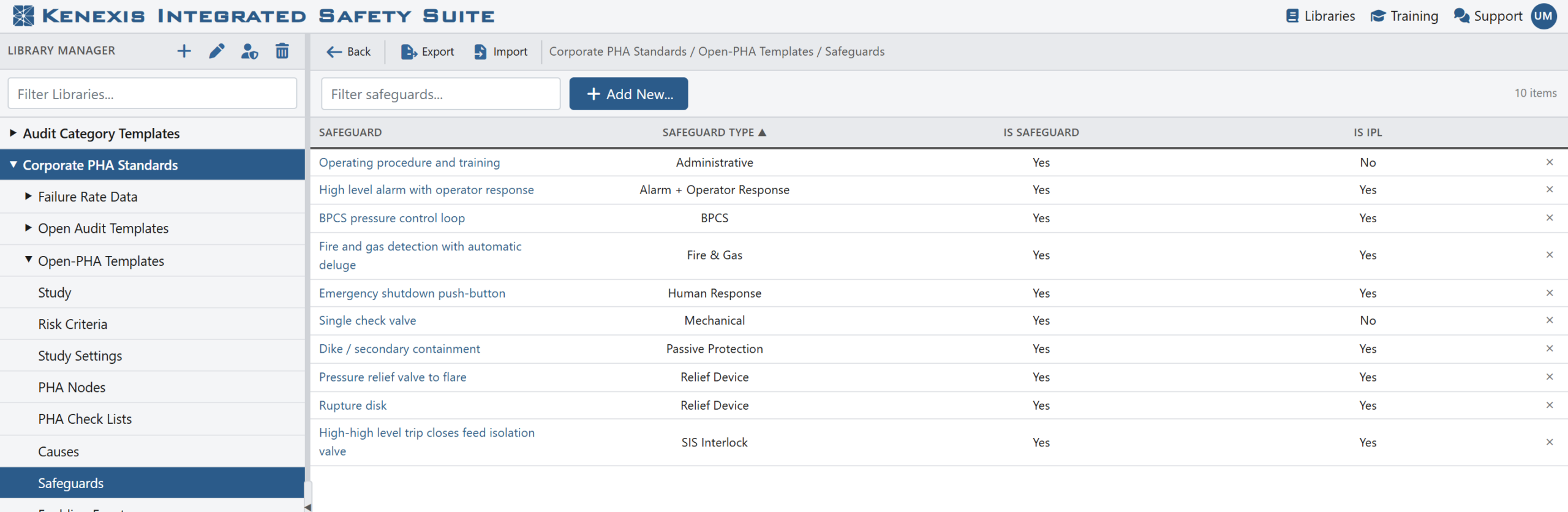
The Library Manager. A corporate library holds Open-PHA® building blocks and templates alongside the organization’s other Kenexis Integrated Safety Suite reference data.
Every record carries the full set of attributes the worksheet expects, so what the library says is what the study gets.
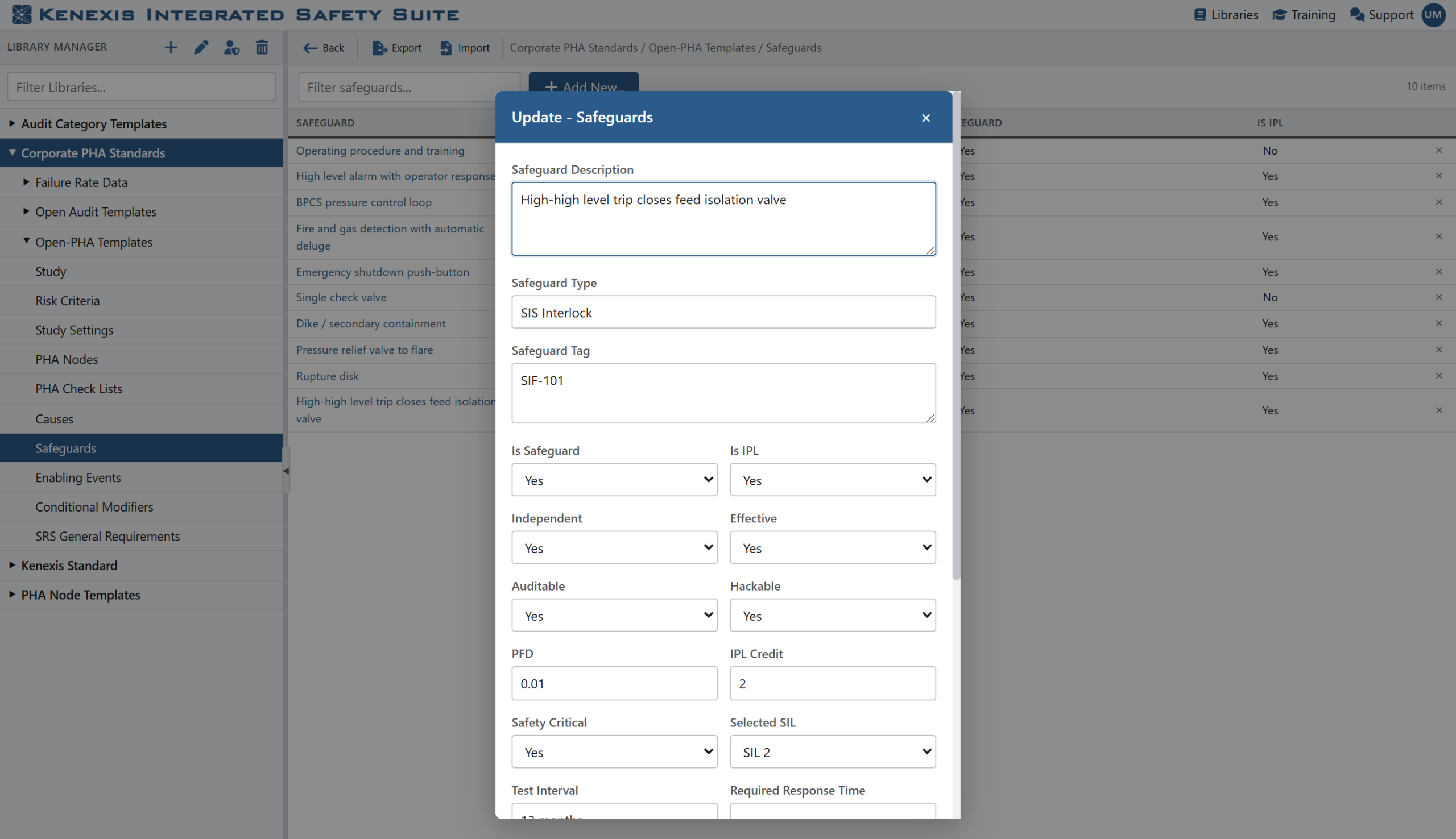
A library safeguard. The independence, effectiveness, PFD, SIL, and test-interval fields travel with the record into every study that uses it.
Consistency: one definition, every study
Inside a worksheet, importing from a library is a two-click operation. Select the cell, choose Import from Library, pick the library and the record, and decide whether to add it as a new row or append it to the selected one. The safeguard arrives with its type, tag, PFD, test interval, and all of its LOPA flags already set, exactly as the process-safety lead defined them.
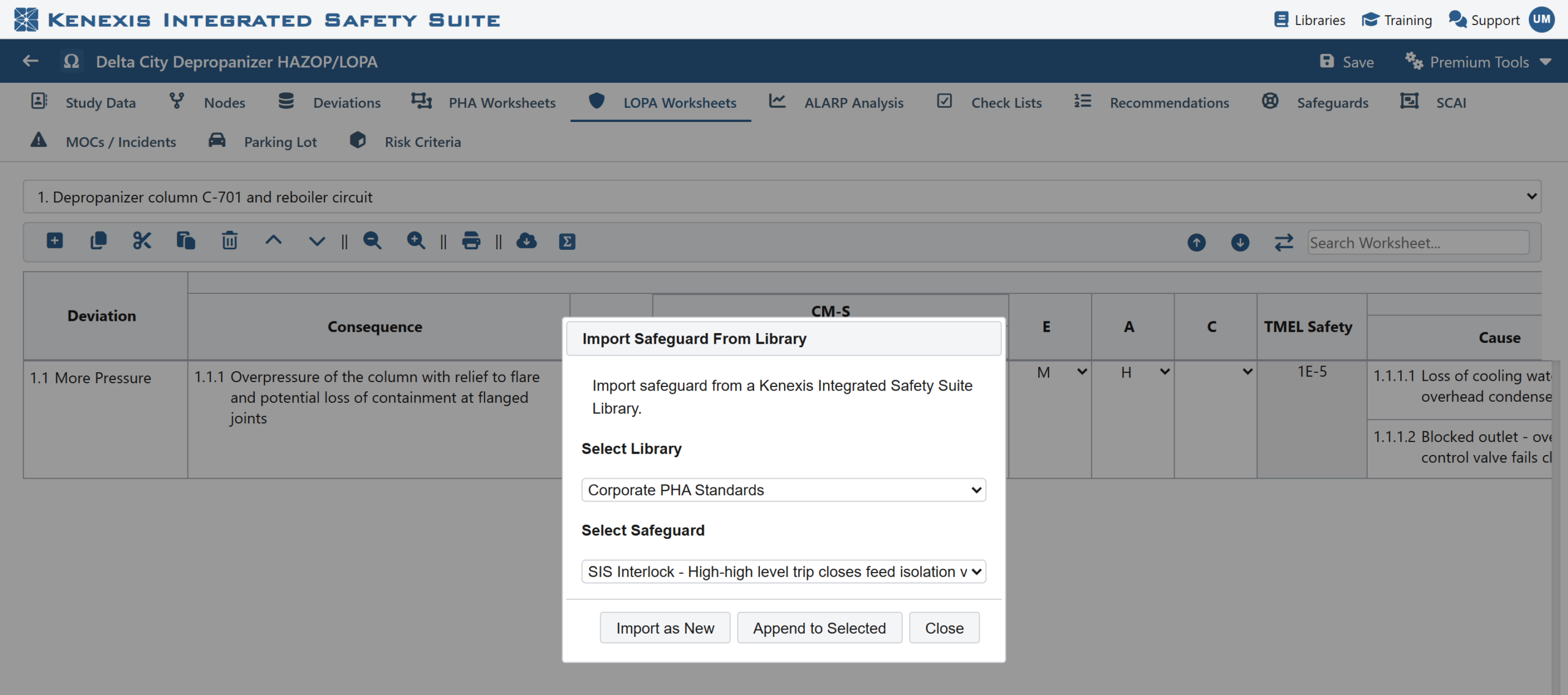
Importing a safeguard from a corporate library directly into a LOPA worksheet.
Because every site pulls from the same source, the same interlock is described the same way in every study, credited the same way in every LOPA, and reported the same way in every risk register. Facilitators spend the meeting on the hazards, not on wording.
Speed: templates for whole nodes, checklists, and studies
Building blocks handle the rows. Templates handle the structure.
- Start a study from a template. When a new study is created, Open-PHA® offers to begin with a library template, a complete study structure with risk criteria included, or to load corporate risk criteria into an empty study. Either way the team starts from the approved playbook, not from defaults.
- Import a node. A node template carries a complete node: its deviations, scenarios, safeguards, and recommendations. Importing one into a study adds the whole structure at once, with merge options so the shared safeguard and recommendation registers stay free of duplicates.
Import a checklist. Standard checklist question sets load into any study, ready for answers, justifications, and recommendations.
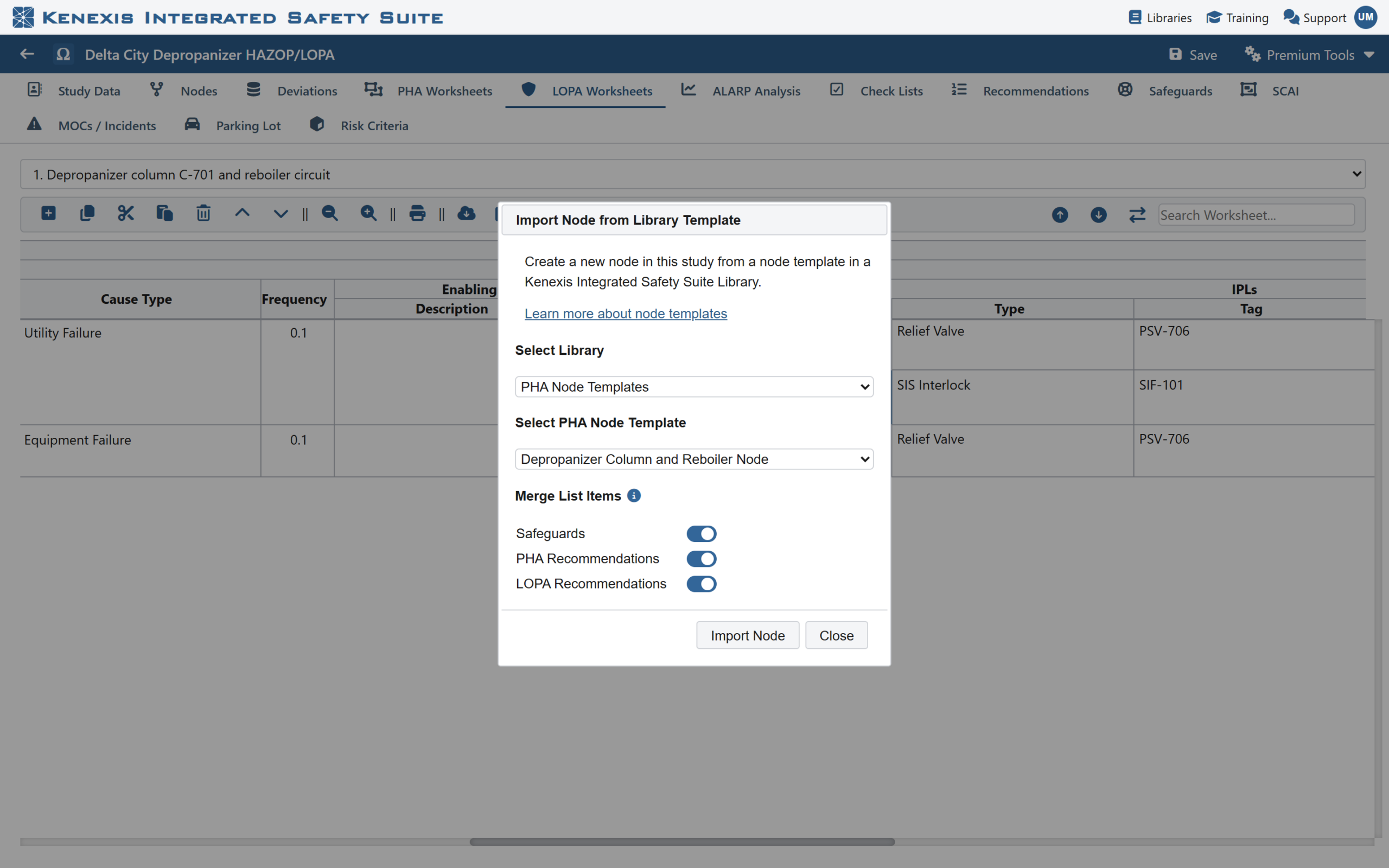
Importing a node template, with merge options for the shared safeguard and recommendation registers.
Templates flow in both directions. Anything a team perfects in a study (a node, a checklist, the risk criteria, the study settings, or the entire study) can be exported back to a library under a name of your choosing, where it becomes the starting point for the next team.
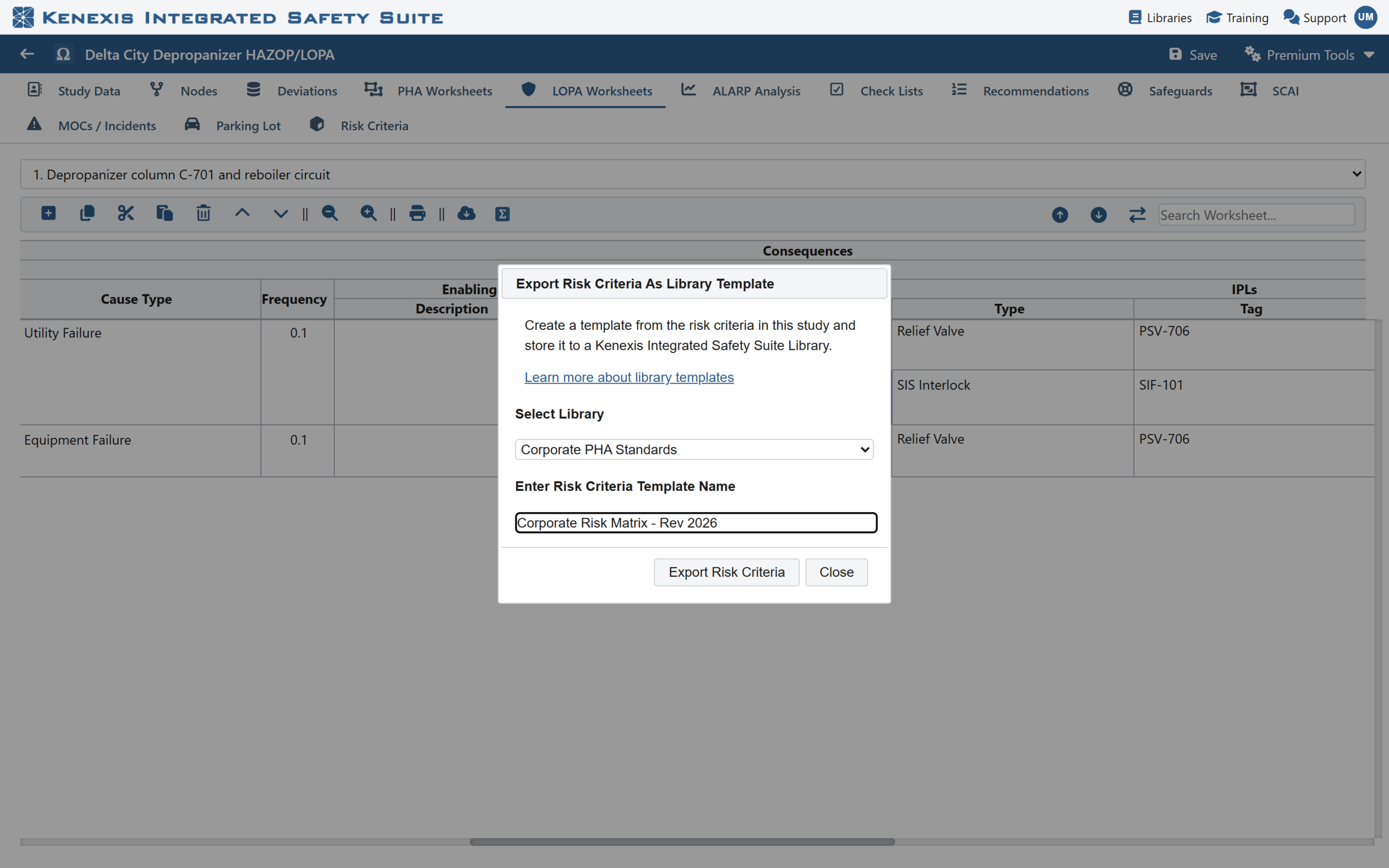
Publishing a study’s risk criteria to a library as a named template.
Auditability: every record knows where it came from
This is where libraries stop being a convenience and become a control.
When a cause, safeguard, enabling event, or conditional modifier is imported from a library, the study keeps a link to the source record and its library version. That link never goes away. At any point, Library Sync under Premium Tools lists every record in the study that originated from a library, shows whether it still matches the library, and points to every scenario in which it is referenced.
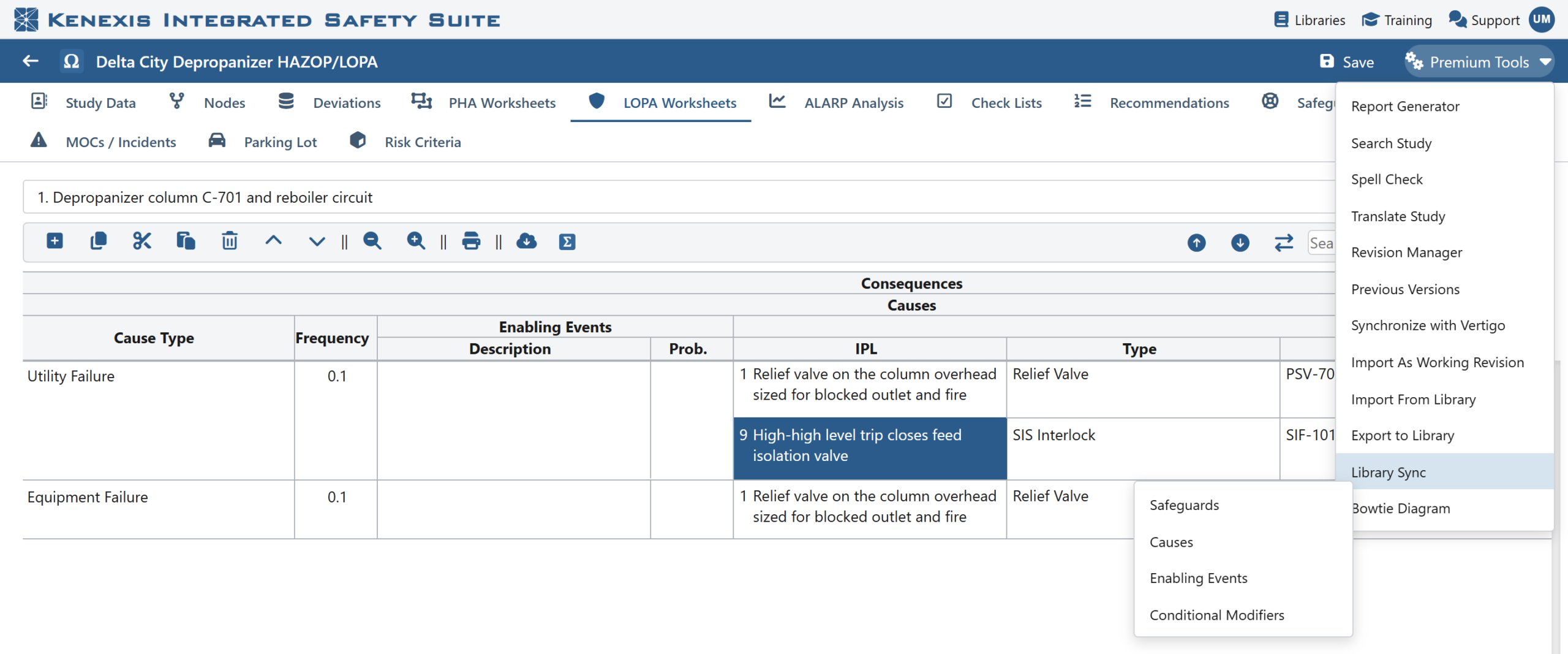
Library tools live under Premium Tools: import, export, and synchronization for each building-block type.
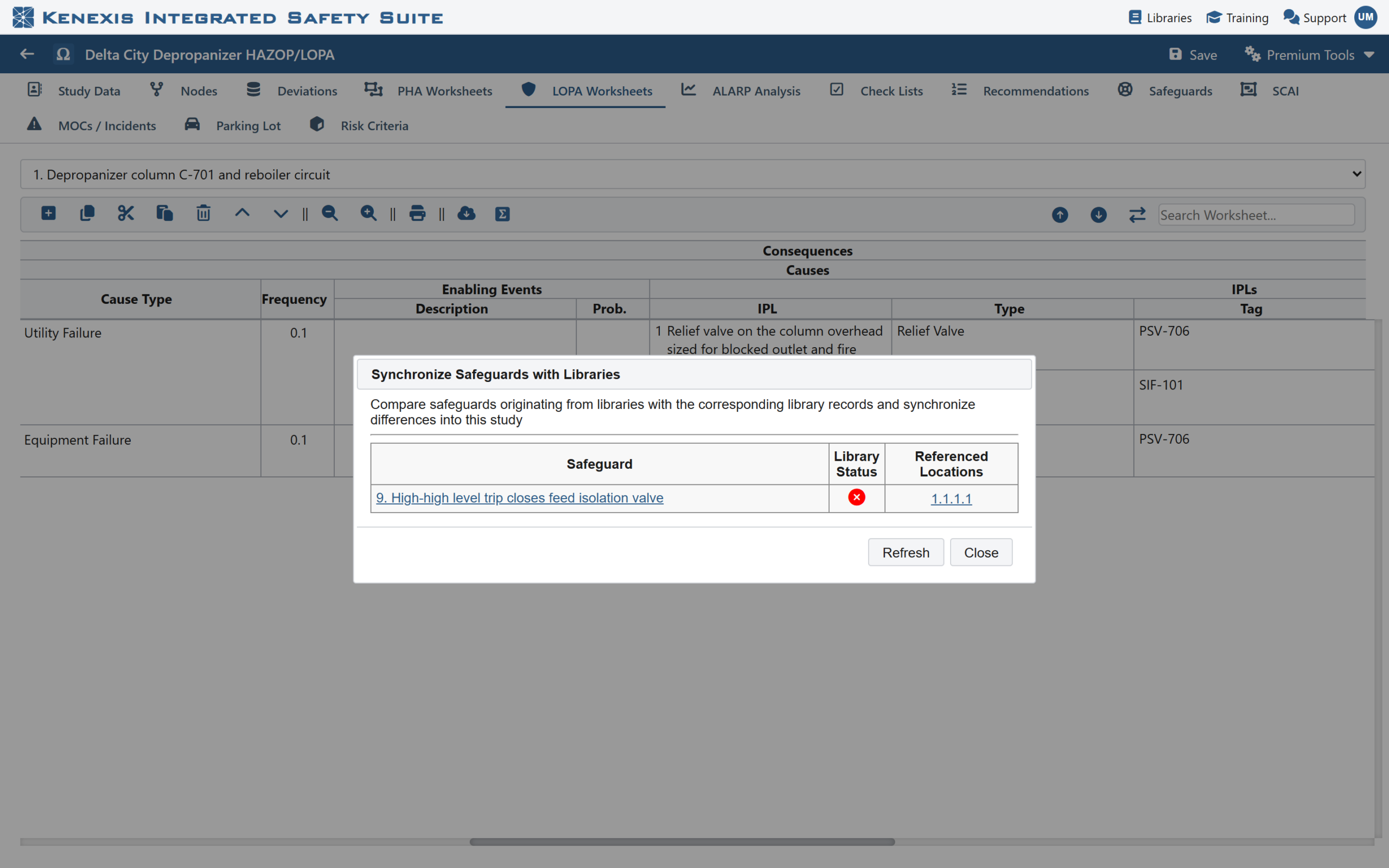
Library Sync. Each library-sourced record shows its current status and the scenarios that reference it.
Suppose the corporate SIS standard shortens a proof-test interval, and the library is updated to match. Every study that credits that safeguard now shows it as out of date. Opening the record displays a side-by-side comparison, library value against study value, with every difference highlighted. A single Synchronize applies the library values to the study and recalculates the LOPA.
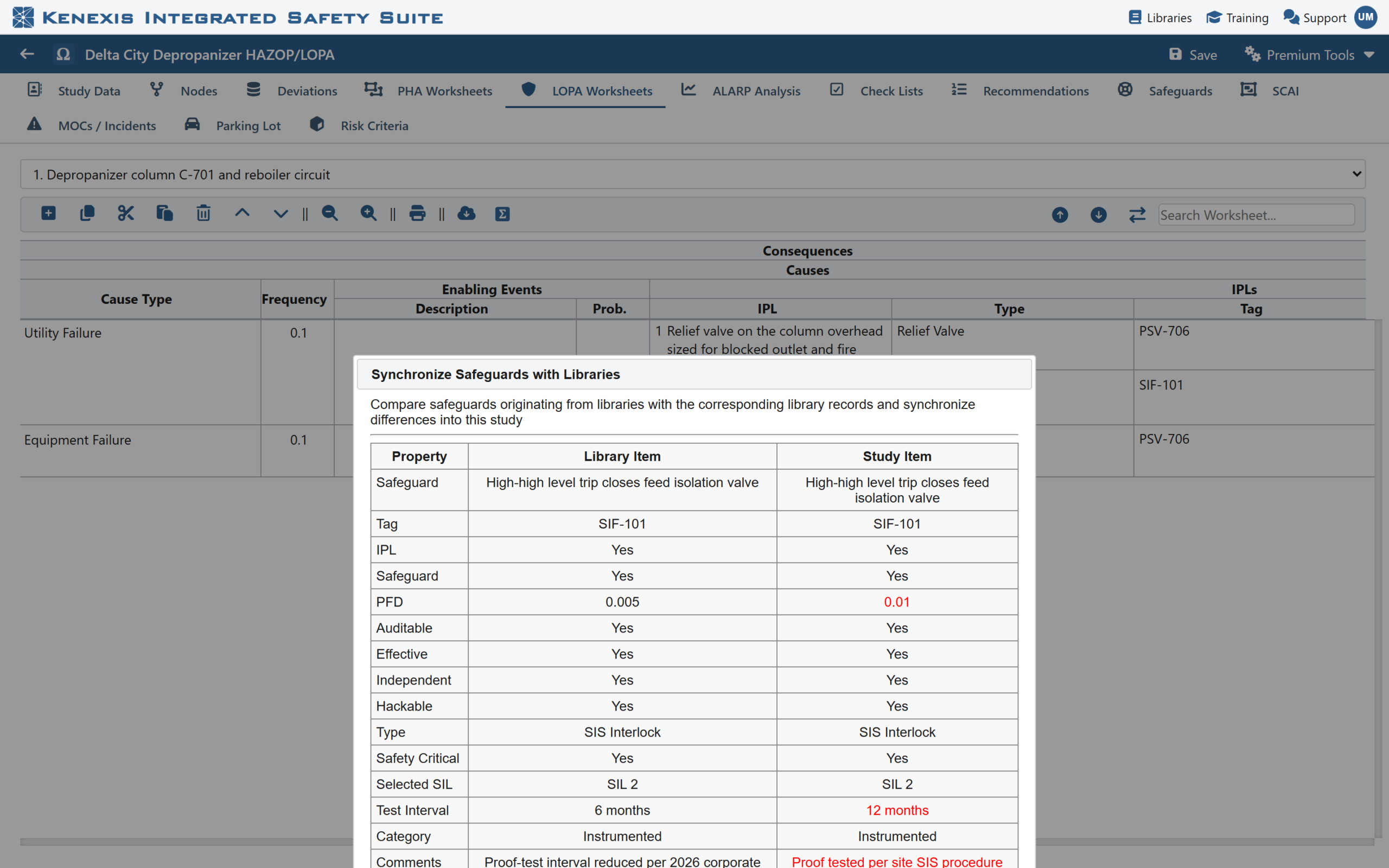
The comparison view. Differences between the library record and the study record are highlighted; Synchronize brings the study up to date.
For an auditor, the question “where did that PFD come from?” now has a precise answer: this library, this record, this version. For a process-safety lead, a change to the standard is no longer a search through dozens of studies. It is a list.
Governance: one owner, controlled access, Excel round-trip
Libraries are owned. The owner decides which colleagues and user groups can view a library, which can edit it, and who else can administer it, so a corporate standard can be maintained by a small group and consumed by everyone.
Keeping that standard current is a spreadsheet job, and Open-PHA® treats it as one. The Cause, Safeguard, Enabling Event, and Conditional Modifier libraries export to Excel and import straight back in. A process-safety lead can build or refine the library in a workbook, circulate it for review, and load it into Kenexis Integrated Safety Suite in one step. Every workbook is checked before anything is written, so a stray typo cannot half-load a library, and exports are formatted so they always re-import cleanly.
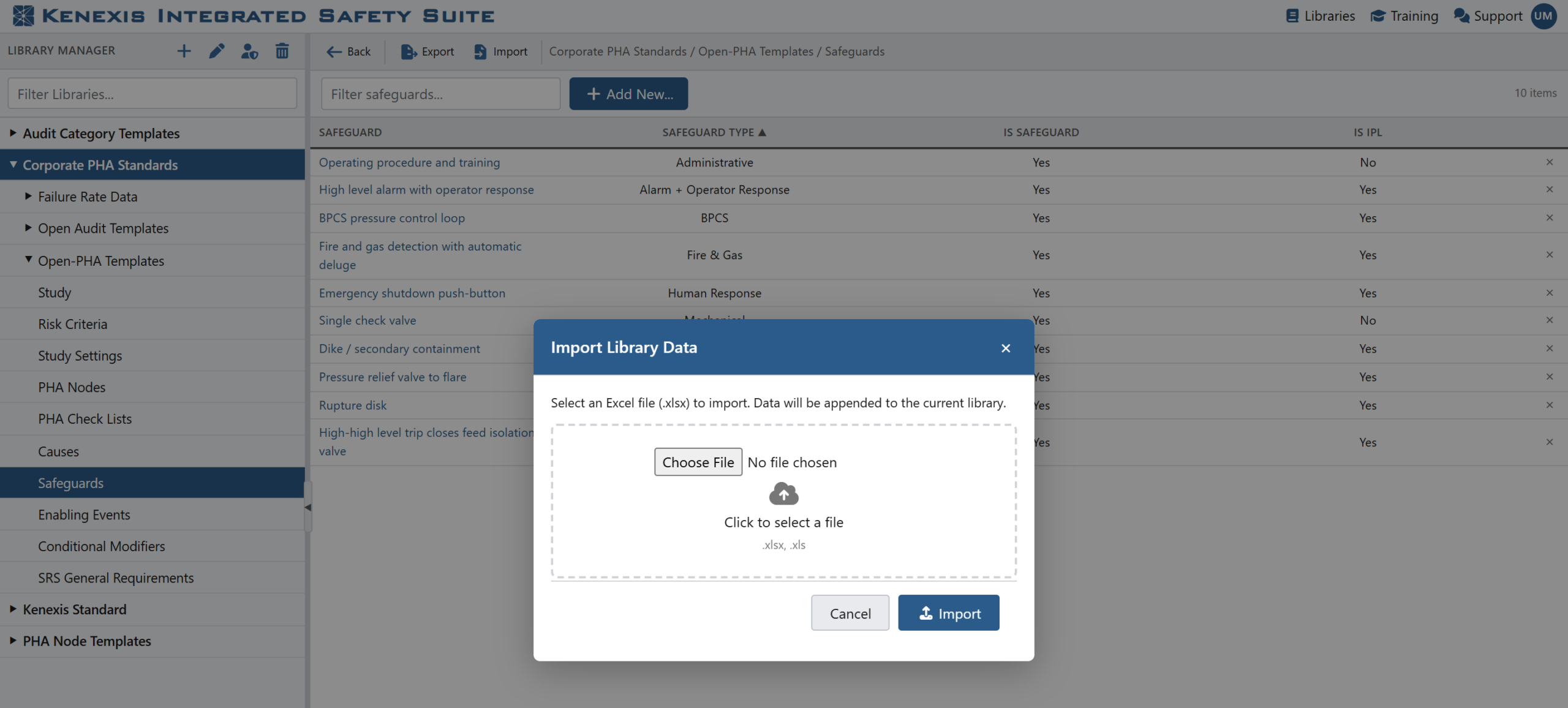
Importing a reviewed Excel workbook into a safeguard library.
Getting started
A library program does not have to begin with a thousand rows. Most organizations start small:
- Create a corporate library in the Kenexis Integrated Safety Suite Library Manager and share it with the PHA facilitators.
- Seed the safeguards first. Export the safeguard sheet to Excel, fill in the twenty or thirty protection layers that appear in almost every study, with PFDs, test intervals, and independence criteria agreed by the SIS and process-safety teams, and import it.
- Add causes, enabling events, and conditional modifiers as the same patterns recur across studies.
- Publish the risk criteria from an approved study as a template, and make it the starting point for every new study.
From then on, every hazard review starts from the standard, stays linked to it, and can be brought back to it with a click.
See it in your own program
Kenexis® Open-PHA® is available as part of the Kenexis Integrated Safety Suite. To see how shared libraries would fit your PHA program, or to talk through what a corporate standard library should contain, contact Kenexis for a demonstration.