
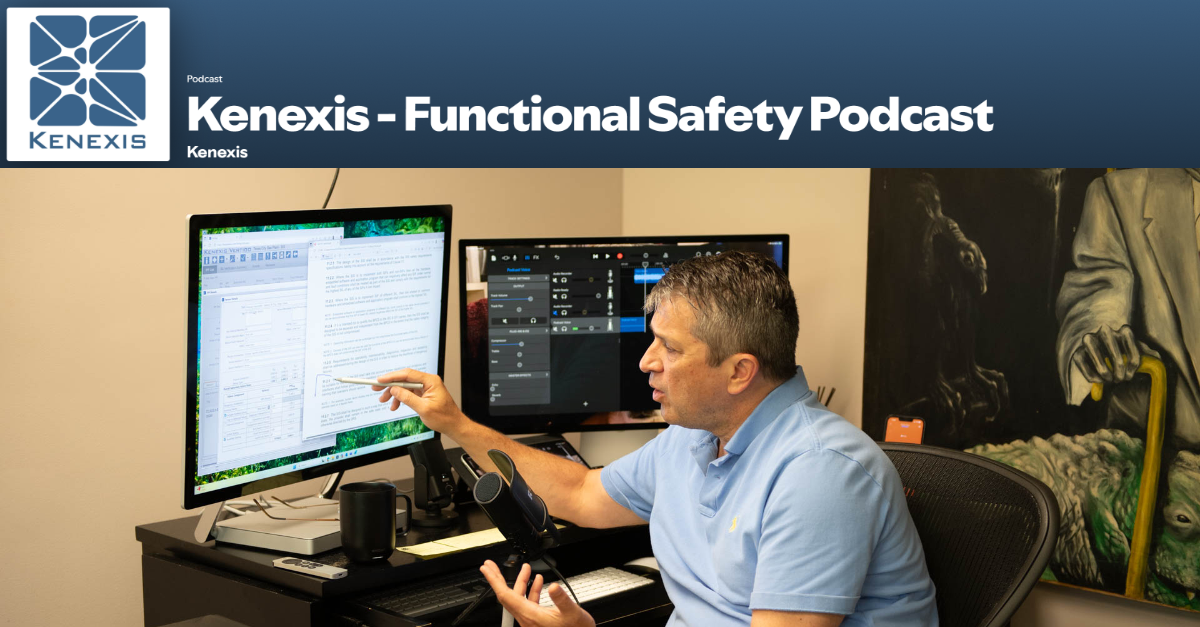
In this episode of the Functional Safety Podcast:
The operator interface is where the SIS meets human judgment—and where well-intentioned design can invite catastrophic error. In this episode, Ed Marszal surveys the full spectrum of operator interface architectures, from lights and switches in the field to dedicated SIS workstations locked in the shift supervisor’s office. He walks through Clause 11.7.2’s requirements for minimizing operator actions, protecting bypasses from unauthorized use, and ensuring critical status information reaches the right people at the right time. Along the way, he explains why auto-rearm logic beats trusting operators to remember their bypasses, why automated bypass timers can make an I&C engineer the most hated person in the plant, and how a batch recipe gone wrong nearly cost several colleagues their lives. For engineers wrestling with how to make SIS information visible without making it vulnerable, this episode offers hard-won guidance from decades of committee work and field practice.
Bypasses and resets are two standard data elements routinely transmitted from the BCPS to the SIS, and this communication must be done safely… Listen in as section 11.7.2 is discussed.
Tune in to the latest episode of the Kenexis Functional Safety Podcast, hosted by Ed Marszal, President and CEO of Kenexis. Now available on Spotify and Apple Podcasts, Ed offers his expert insights on the IEC 61511 standard.
With decades of experience in safety instrumented systems and as a Principal Engineer, Ed has a unique perspective to offer. He has been an active contributor to the ISA 84 committee since 1994, adding to his deep understanding of the field.
In this inaugural season, Ed delves into the IEC 61511 standard, unpacking the meaning behind each word and providing a thorough interpretation of its application. Through personal stories from his career and committee work, he offers valuable context and insights for professionals in the industry.
Full Episode Transcript
Introduction, Disclaimer, and Episode Overview
Bypasses and resets are two bits of data that are routinely communicated from the BPCS to the SIS. We have to do it safely.
Welcome to the Kenexis Functional Safety Podcast. I’m your host, Ed Marszal, President and CEO of Kenexis. Kenexis is a technical safety consultancy that helps chemical process industry companies to analyze risk and design engineered safeguards like safety instrumented systems and fire and gas detection systems. Kenexis also provides the industry-leading suite of software tools, including our best-in-class Vertigo software for SIS safety lifecycle management.
In this first season of the podcast, we are going to focus on the IEC 61511 standard, doing a deep dive into the standard, including more depth of information on what the standard means and how to apply it, brought to life with personal war stories and behind-the-scenes discussions of the committee members as we develop the standard in ISA 84 and IEC SC 65.
Before we start, a little disclaimer. I will be providing my opinion on technical and engineering topics. This information is provided on a best-effort basis and is of a general nature. The information presented in this podcast might not be applicable to your specific application. It is the obligation of every engineer to thoroughly analyze any system that they are designing and not blindly rely on any general advice presented in this podcast.
Okay, well, we are still talking about interfaces for another couple weeks. Last week, we talked about the details. We talked about the hardware. We talked about the mechanics of how you get data from point A to point B. And in the next couple weeks, we’re going to talk about… This week, we’re going to be talking about the operator interface specifically. And next week, we’re going to be talking about the maintenance and engineering interface specifically.
And there’s a lot of detail that goes into this. Now, each one is just a simple clause. But we’re going to go, you know, one pretty solid session for both of them.
Clause 11.7.2.1 and BPCS Interface Overview
So let’s go ahead and get into the discussion for this week, which is all going to sit in 11.7.2, operator interface requirement.
Okay, so for operator interface requirements, we’re going to be starting off in clause 11.7.2.1. And this is going to read exactly like 11.7.4 in terms of the meat of it. But again, it’s going to be kind of specific. So what’s going on?
11.7.2.1 states, Where the SIS operator interface is via the BPCS operator interface, a count shall be taken of credible failures that may occur in the BPCS operator interface.
Okay, so kind of right out of the gate. We haven’t even discussed all of the options for how you might want to do operator interface. And there are a large amount of safety instrumented systems where the interface is not through the basic process control system. It is separate hardware altogether.
But where this starts out is if you’re going to use the BPCS operator interface as the interface to the SIS. What does that mean? Well, your operator generally is going to be looking at a screen, the human machine interface that’s connected to the DCS. And when you use the BPCS operator interface for the SIS, you’re simply communicating data from the SIS to the basic process control system interface. And then using that basic process control system and its HMI to actually display the data.
Very efficient. Very effective. I mean, having everything in one place for the operator is generally a very good thing to do. It helps them be more efficient. It gives them a better overview and feel for the system as a whole instead of having to continually switch screens or even worse, you know, call out to the field or walk out to the field to try to figure out what’s going on with the safety instrumented system.
There is a note to this clause. So the note to 11721 is this can include preparing plans to enable an orderly safe shutdown in the event of total failure of the operational displays. Another thing that we talked about last week is that, well, if your communication with the SIS is not part of the SIS, then you’re going to want to think real hard about what do you do if that communication interface fails?
Can I continue to operate or do I need to immediately shut down? Can I continue to shut down if I need to immediately shut down? How do I tell the safety instrumented system that it needs to go into the shutdown state? So a lot of thinking there.
SIS Operator Interface Options Survey
But before we delve too deep into this, let’s talk a little bit more about what our options are for the operator interface. Because using the DCS screen to display data from the safety instrumented system, although it is far and away the most common way to do it, it is not the cheapest. It’s not the most secure. There are a lot of different things that you can do to interact with a safety instrumented system other than just, you know, connecting it to the DCS and letting those two systems talk to each other.
And of course, that also assumes that your safety instrumented system is capable of communicating with the basic process control system, which for some, you know, older hardwired systems is not the case. So let’s discuss kind of the full gamut of what operator interfaces you might run into.
The most old school, probably the cheapest, is, well, lights and buttons. So the SIS is going to light up a light when something is in the alarm state. And you have buttons and switches that allow you to go into bypass, that allow you to reset, that allow you to step through a sequence or start a sequence of events. So having buttons and lights is probably the oldest school way to do things.
Switches and lights. And furthermore, there’s a couple flavors there because the switches can reside in the field. The switches and lights can reside in the field. They can reside in the control room or both. Okay, so switches and lights.
Step, the second direction is a screen. So LCD, CRT, LED, whatever the mechanism is, you’ve got a panel, you’ve got a screen that is showing you information digitally. Now, there are a lot of options for screens. Now, the screen that we started talking about is the screen that is connected to the computer, that is connected to the basic process control system, that you’re viewing the status of the plant as a whole in that screen. That’s one option. But screens are cheap and there’s a lot of ways to communicate with those screens.
So the kind of most rough and ready, shall I say, screen is a screen that you would mount out in the field. So this is something you can buy screens that connect directly to your SIS PLC and mount them out in the field. So you might have a cabinet out in the field that contains your safety instrumented system. And you can mount a screen right on the door that it might be a touchscreen that allows you to view the status of the plant and so on.
Now, that kind of screen is not… Clause 11.7.2.1 doesn’t come into play really here because that screen is actually part of the SIS. It’s not used for any other purposes than communicating with the SIS. That’s all it’s there for. It is part of the SIS. Now, it is a non-interfering. It’s not a portion of any particular SIS, but it is not the basic process control system. Its only purpose is to service the safety instrumented system. So we have those.
And a lot of times those screens are kind of also connected to lights and switches to allow you to manipulate things a little bit easier than having to take your gloves off and touch the screen. And it’s only going to be a matter of time before the screen is covered with oil and tar and all kinds of other stuff. Well, in the refining business where I grew up, I suppose, if you’re making pharmaceuticals, things are a little bit cleaner than that. Okay, so a dedicated screen out in the field.
Now, there is also, and I’m going to go super high end here, the ability to have an operator interface computer and screen combination that is dedicated to the safety instrumented system. This is becoming more and more common, and I’ll explain a little bit later why this approach is becoming more and more common.
But when you look at the dedicated HMI, there is going to be a computer, usually a PC of some type, that’s going to be sitting on the control room, on the control network and communicating with either the historian or the DCS, the basic process control system itself, probably using OPC or something kind of low level. And bringing that information into the HMI PC. And then you’re going to be running an HMI application. So going old school, kind of one of the OG operator interface software applications that’s still relatively vendor independent would be Wonderware.
There were other ones like Intolution, which got bought out by Emerson and a few other people that created HMI software.
So now we’ve got a dedicated HMI. So we’ve got a dedicated computer communicating with the SIS and a dedicated screen that an operator is able to interact with. And that screen is dedicated to the SIS. It doesn’t communicate with the basic process control system. It’s only talking to the SIS through the basic process control system network or through that low level controller network. But it’s dedicated to the safety instrumented system. And you could do anything you want with that operator interface that you would do with any other human machine interface.
It is very flexible in terms of the graphics and the programming that you can make that device do. Okay.
Now, and I’m going to come back to that because this is becoming more popular. I will explain why it’s becoming more popular here in just a second.
BPCS HMI as Primary Operator Interface
Now, the third item is far and away hands down the most popular way to do things. And that’s to use the human machine interface that is dedicated to the basic process control system to simply display those signals.
Why is this so common? Well, number one, I don’t want to say it’s free, but I’m going to say that it’s free. It’s already there. The operator is sitting at this computer and that’s how they are interacting with the control system in the process.
It’s a very logical place to communicate information to the operator. So you’re going to communicate between the SIS and the BPCS using Modbus, using TCPIP. There’s a large number of protocols that you’d use to do this communication. But generally, the communication is going to be SIS to BPCS and then BPCS to HMI. So you’re kind of copying data or the basic process control system is kind of the intermediary as the signal gets between thither and yon, between here and there. There are other ways to do it.
There’s no reason that you wouldn’t be able to communicate directly with the safety instrumented system through the HMI. But anyway, I’m starting to digress a little bit. Now, the weak side of using the basic process control system as your operator interface is that your basic process control system is not built.
It’s not designed. It’s not configured. And it’s not managed as safely and securely as the safety instrumented system is. So that’s where you could have a failure, maybe caused by cosmic rays from outer space, that creates an error and inadvertently maybe put something in the bypass. And then that failure in the basic process control system, if you don’t design your system right, is just going to work its way into the safety instrumented system and cause a dangerous failure in that system. And that’s something that we want to avoid at all costs.
So that’s kind of where we’re kind of at a sticking point in terms of how we actually do this communication.
There are a lot of ways to be able to do this HMI communication safely. And now, especially if all you’re doing is reading data out of the SIS, maybe even through something not so like a data diode, that’s going to be a lot safer. But again, as we discussed last week, there’s a lot of things that you want to do with the safety instrumented system that require you to talk to the safety instrumented system.
Specifically speaking, bypasses and resets are the most common things. And dangerous failures can cause dangerous failures in the BPCS for those two points can get communicated in the SIS and cause dangerous failures of the SIS. So last week we talked about the digital ping pong and the bypass enable switches, the mechanisms to be able to do that safely. But what if we didn’t do the resets and we didn’t do the bypasses through the SIS operator interface?
Dedicated SIS Interface for Bypass Authorization
This is where I was talking about the kind of up and coming prevalence of doing a dedicated SIS operator interface. Okay, so what does that mean? So I’ve got my Wonderware or kind of equivalent. You’re probably going to want to end up using the same software that you use for your basic process control system from your integrated vendor. But you want to have that operator interface dedicated to communication with the SIS.
Why? Why? Well, what we could do is we could have the board operators with all the capability of viewing what’s going on in the safety instrumented system at all times from their normal seat where they’re controlling things. But from their normal seat where they’re controlling things, maybe we don’t want them to bypass. Maybe we don’t want them to reset. Maybe we want to go through a bypass approval process and a authorization from management. Maybe the shift supervisor. Maybe the plant manager to be able to put something in the bypass.
So why don’t we take an SIS operator interface that is dedicated to safety and instead of putting it on every operator’s desk, why don’t we put it in the shift supervisor’s office? So that when you want to put something into bypass, well, you’re going to need to go through an approval process that involves the shift supervisor. Why don’t you just have the shift supervisor open up the SIS operator interface on their desk and let them put it into bypass?
Now we have a computer that’s 100% dedicated to the safety instrumented system that is a lot more secure and it’s going to allow for better enforcement of the management of change process and the bypassing process.
There’s a little bit less risk associated with communicating a reset than there is with a bypass. But, you know, you might want to put resets in the same place and have the shift supervisor doing the resets so that they know that something went into TRIP in the first place. So that’s one of the reasons that more and more we’re seeing a dedicated operator interface sitting out there with the shift supervisor in their office that allows them to keep a view on everything.
But it’s kind of that one stop dedicated place. If you want to put something in the bypass, you have to go into the shift supervisor’s office. You have to know the shift supervisor’s password. You know, they know who’s on the computer. So if you try to reset it, you know, without the shift supervisor knowing there’s going to be a electronic trail of exactly what happened. So don’t get stupid about that. All right. So I just went back over kind of the wide gamut, the wide variety of the different ways, the different options that you have for operator interfaces in safety instrumented systems.
You’ll see that it’s more than just that DCS screen. It goes all the way out to the field with lights and switches and can even be a dedicated computer and monitor dedicated to just the safety instrumented system that’s only accessible to the plant manager or the shift supervisor. Okay. Okay.
So that was a lot of background material in addition to clause 11721 where it said if the option that you choose is through the BPCS operator interface, which is the most common option, then you need to make sure that a failure in the BPCS cannot get communicated into the SIS and cause an SIS failure, which is a credible thing that can go wrong. Okay. Okay.
Clause 11.7.2.2 Minimizing Operator Actions
Next item up is going to be clause 11722. In clause 11722, we state, the design of the SIS shall minimize the need for operator selection of options and the need to bypass the system while hazards are present. Okay. And that’s the first sentence. There’s another sentence and a note coming up.
So when we’re designing our operator interface, we want to minimize how many options you have to choose from. You know, I’m going to go back to the old cheesecake factory menu. There’s so many options. I just give up. I don’t even know where to start. Too many choices. Analysis paralysis. So make the choices simple and try to avoid needing to go into bypass.
Because when you go into bypass, you have to come out of bypass. And when you get distracted, that’s easy to forget about. And you could leave things in bypass for a very, very long time when you never intended to. And we’re going to try to prevent that by design.
So how would… Well, actually, let me finish the clause and then I’ll come back to this minimizing bypasses, minimizing operator actions concept.
So the second sentence here in this clause is, if the design does require the use of operator actions, the design should include facilities for protection against error. Okay, so if you’re requiring the operator to interact with the SIS, you want to minimize it. You want to minimize the choices they have to make. And you want to try to put some error proofing in to prevent the operator from doing the wrong thing. Or if they do the wrong thing, kind of get them out of it.
Okay, the note on this clause is, if the operator has to select a particular option, there can be, there should be in my opinion, there can be a confirmation step to make sure that they’re sure about what they’re doing.
Okay, so let me give you an example of something that historically the operator has done, but today there’s absolutely no reason to do it.
And that would be the existence of the shutdown that works so well that once it activates, you can never start the plant again. What do I mean by that? All right, so in a lot of cases, you’re going to want to put a low flow shutdown on a pump. And the reason would be is that if you block the discharge of the pump, you’re going to damage the pump. You could end up with a seal failure. You’re going to leak material. It might be flammable. It might cause a pool fire. Somebody might be near the pool fire. They might get injured. Okay, so yeah, low flow.
If the flow is low, stop the pump. Well, if low flow stops the pump, how do I start it? The flow is low when the pump is stopped. So I press the start button. It’s going to say, well, I can’t start because the flow is low. So for some period of time, we’re going to need to kind of override that low flow shutdown so that you can start the pump.
Now, back in the olden days, I say olden days, there’s still a lot of this out in the field. You would basically just have the operator put the low flow shutdown into bypass, start the pump, make sure that it’s running. Once the flow is up and stabilized, then the operator is theoretically going to take the shutdown out of bypass. Unless they’ve been distracted by something like a text message and they get to thinking about something else and they never take it out of bypass. It’s happened.
Auto-Rearm and Operator Error Prevention Design
Auto rearm. So for a low flow shutdown, you wouldn’t hold the shutdown state of the safety function. Basically, your shutdown signal will be a pulse of 10, 20, 30 seconds. And you would expect after those 10, 20, 30 seconds, or maybe even after 100 milliseconds, your pump will be shut down. But after the timer on that pulse times out, your low flow shutdown gets set automatically into a bypass state, which will allow you to immediately go out in the field and press that start button again.
Now, why would you want to do this? Well, there’s going to be some logic behind this auto bypass. So for the auto bypass, there’s going to be programming that says, well, yes, I am in bypass. But when someone presses the start button, that’s going to get communicated to the SIS. The pump is going to start and also a timer is going to start where you’re looking at the flow of the signal on the discharge of the pump. And what you’re looking for is you’re looking to make sure that the flow goes up above the set point for a certain period of time.
And if that is the case, then you will rearm the safety function. And now you’re back into kind of more of a normal operating state, all with the operator not having to get involved in terms of turning the bypass on and remembering to turn the bypass off.
This is exactly what we mean by minimizing the actions that the operator has to take with regards to the safety instrument systems. Matter of fact, he didn’t need to take any. He just pressed the start button on the pump. All the bypassing, all the rearming, that was done automatically.
Now, the other thing is that you need to protect against the operator error. Well, what if the operator hit the start button but never opened that downstream valve back up? Well, you’re going to want to account for that by saying, well, if I don’t get up to flow in 30 seconds, 40 seconds, whatever, I’m going to shut the pump back off again. I’m going to take it out of bypass. I’m going to shut that pump back off again if I don’t establish flow in a certain period of time.
So we’re making the system resilient to the operator doing the wrong thing. Now, the facilities could include more than just, you know, after a certain amount of time, shut the safety function back off if it doesn’t come up.
You’re going to want to also include things like if they need to type in numbers, doing range checking, validating that the signal is appropriate. So there’s a lot of actions that you can take to prevent operators from being able to do the wrong thing. Because, well, you know, humans, they do the wrong thing every once in a while. All right. Well, let’s continue on.
Clause 11.7.2.3 Bypass Switch Protection
We’re going to move on now to Clause 11.7.2.3. One sentence in one note. So the clause says, bypass switches or means shall be protected to prevent unauthorized use. For example, by key locks or passwords in conjunction with effective management controls.
Okay.
So that’s our clause. Bypass switches need to be protected to prevent unauthorized use. I would also kind of flesh that out a little bit to say prevent unauthorized or inadvertent use. And I’ll get to that in just a second. But before I do, let’s hit the note.
So the note for this section says, consideration can be given to enforcing time limits on bypass operation and to limiting the number of bypasses that can be active at any one time. Huh. Huh. So you’re only allowed to leave something in bypass for a certain time duration. Hmm. Okay. Okay. That, you should never exceed your mean time to repair, uh, to have something in bypass, but okay. And limit the number of bypass. So if one thing is in bypass, you can’t put another thing, or if two or three or four are in bypass, you can’t put a fifth in. Okay. Seems not unreasonable.
But let me warn you a little bit. What is going to be unreasonable is if you try to enforce these things automatically. Um, if you’re an instrumentation and control engineer and you write code that says this has been in bypass for 24 hours, now I’m automatically going to shut down the plant. Uh, I would not get yourself alone with any group of operators because, boy, that is a great way to become the most hated person by operations in a plant is to automatically shut the plant down on some sort of timer.
And if they really desperately need to put something in bypass and they can’t, that’s not quite as bad, but it’s almost as bad. So those are some things to think about, but also be very, very careful about how you do the implementation. This might be a place where administrative controls are a little bit better than automating.
Now, so how do we prevent our bypasses being, from being used by unauthorized people? Well, we can lock them behind keywords. We can key lock them. So if you want to put something in the bypass, you need a key to turn the key lock. Definitely, you want to put the plastic cover over top of them so somebody sitting on the control panel can’t butt dial themselves into a bypass state, which is something we want to avoid. So definitely, you’re going to want those plastic covers to prevent inadvertent operation.
Maybe you want a padlock on those to prevent people from opening it up unless they’re authorized to do so.
So that would be specifically if they’re out in the field, which they exist out in the field. If you’re on the DCS, well, at this point in time, you need to log in as an authorized operator. So there’s no mystery about who’s using the control board and who’s the control panel. And hopefully, if you’re logged into something, you should only be able to do what you’re authorized to do. And it will know exactly who did it and when it was done, which is, for better or worse, it’s a benefit for managing things.
And it’s a downside if you’re trying to pull something sneaky that you shouldn’t have been doing in the first place.
Okay. And also, key locks and passwords. If I go back to that dedicated SIS for the safety instrumented system locked away in the shift supervisor’s office, well, you need to get into the shift supervisor’s office and you need to be able to log into their computer. So that’s the kind of protection from unauthorized use that we are interested in. All right.
Clause 11.7.2.4 Required SIS Status Information
Moving along, there are seven sub-clauses here, and I am only now getting to number four. Number four has a lot of information in it. It is written very strangely. And furthermore, while this clause is technically normative, containing requirements, I would strongly argue that it is not normative. It is informative. It’s basically, these are things that you should consider. But in some cases, you don’t need them. In some cases, they’re physically not even possible, especially if you’re going with that old school lights and switches in the field. So let’s go.
Clause 11.724 states, The SIS status information that is critical to maintaining the SIF shall be available as part of the operator interface. This information may include, okay, that’s the clause. And then there are going to be one, two, three, four, five, six, seven, eight bullet points. So SIS status information, critical to maintaining. I would argue that it should be the SIS, not the SIF. Everything in the safety instrumented system, not just one particular SIF or all the SIFs. There are things that you’re going to need to communicate that are technically not part of a SIF.
So we’ll get into that.
So what are the things that you are going to want to communicate to the operator to be part of the interface? Number one, where is the process in its sequence? Are we in startup? Are we in shutdown? Are we in batch step number five? Indication that an SIS protective action has occurred is the second bullet point. So some sort of alarm, some sort of light indicating that the safety function or a safety function has activated. Maybe what final elements have been moved as a result of that action? Third bullet point, indication that a protective function is bypassed.
If something is bypassed, the operator needs to know that something is bypassed. And having it show up on the alarm log, show up with lights, and as an enunciation, is not bad. Especially if somebody has the capability of putting something into bypass, not in the control room. So if the operator is just kind of going along with their day and somebody out in the field put something in the bypass, that should probably generate an alarm so that the operator can figure out why something just went into bypass when they’re not the ones that put it into bypass.
The fourth bullet point is indication that automatic action, such as degradation of voting and or fault handling, has occurred.
So if I have detected a dangerous failure and put my device in the bypass, well, guess what? I need to know that. Or if one of my two out of three votes has failed and I went from two out of three to two out of two, yeah, I should probably know that so I can make the repair and maybe take other actions as required. Like we talked about back in clause 1131. You know, some of these alarms might trigger the need to do compensating measures or the alternate protection plan, as some people call it.
Next bullet item, bullet item number five, the status of sensors and final elements. So are the final elements in their normal state or their shutdown state? Are the sensors in their normal state or shutdown state? And for sensors, maybe what is the actual value that the signal is reading? You know, like, you know, and status of sensors and final elements. I mean, if you’re doing your operator interface on the DCS, sure, absolutely. It’s going to be there. But if you’re doing a field panel of lights and switches, I think that might be a bit much.
All right. Continuing on. Item number six is going to be loss of energy, where the loss of energy impacts safety. So we’ve snuck another portion of that energized to trip, de-energized to trip discussion into another location where it’s kind of necessary.
So we said when we were talking about energized to trip or de-energized to trip, if you’re going to design an energized to trip system, which is not the preferred methodology. The preferred is de-energized to trip, but if energized to trip is allowed. But when you lose energy in that loop or you lose circuit continuity in that loop, you need to notify someone so that it can be repaired expeditiously. So that bullet point kind of goes back to that energized to trip, de-energized to trip clause.
And we could actually probably expand this clause to say loss of energy or loss of circuit continuity where that energy loss impacts safety. Now, if you’re de-energized to trip and you lose your power supply, no need to throw up an alarm because your plant just came to a screaming halt. Okay. Okay.
Bullet point number seven, the results of diagnostics. And this is why I say that this applies to the SIS as a whole and not just any particular SIF or even all the SIFs. Because you might have a diagnostic at the SIS level. So something like the climate control in the SIS cabinet failed and the temperature is dangerously high. So those are logic solver diagnostics. But there are also sensor diagnostics, final element diagnostics for partial stroke testing, etc.
So those are the things you’re going to want to communicate. And results of diagnostics, you know, pretty reasonable to communicate to a screen. Lights? A little bit hard to do that. Of course, if you’re so old school, you’re doing lights and switches, you probably don’t have diagnostics anyway.
All right. Last bullet point. Bullet point number eight for 11724 says the last bit of information you might want to include for communication to the operator interface is failure of environmental conditioning equipment, which is necessary to support the SIS. Wow. I just said that, didn’t I? And it actually here in this last bullet point says SIS, the system, as opposed to SIF, the function or the collection of functions.
Okay.
So again, those are things you definitely want to consider. You want to think through thoroughly. If you don’t include them, you probably want to have a good reason why you don’t include them. I would still say this is informative rather than normative. But, well, it is what it is.
Clauses 11.7.2.5 Through 11.7.2.7 Data Integrity Requirements
All right. Let’s keep moving on. We’re going to move on to clause 11.7.2.5, which states the operator interface design, parenthetically C11.7.2.7, shall be such as to prevent changes in the SIS application program. Okay. Really simple.
To me, it still seems bizarre that we have to say this. But you should not be able to reprogram the SIS from the operator interface. You should not be able to change the safety instrumented systems program from the operator interface because the operator interface is not secure. It’s not a logical place to change programs. It doesn’t allow you to follow all your policies and procedures and management of change as you would have to do if you were following a good application management process. But, hey, some people will want to do it.
Some people will want you to be able to change the set point on a safety function from the basic process control system. Not kind of back step wise, but just, you know, that’s how we change the program.
Let’s put the kibosh on that. We’re not doing that. We’re not reprogramming from the basic process control system. If you want to change the program, the application program of the SIS, you must do it from the maintenance and engineering interface. If it is a programmable system, if it is not a programmable system, well, you’re going to need to get out a bunch of wire and strippers and cutters and tags and all kinds of good stuff because you’re going to need to rewire things. Okay. Okay. Moving on.
Clause 11.7.2.6 states, where information is transferred from the BPCS to the SIS, systems, equipment, or procedures shall be applied to confirm that the correct information has been transferred and that the safety integrity of the SIS is not compromised. Now, clause 0.6 here has an informative note which states, the systems, equipment, or procedures used can include control over selective writing from the BPCS to specific SIS variables. All right. How do we prevent communication from the BPCS to the SIS from being erroneous?
Well, yesterday, yesterday, last week, last episode, we talked about digital ping pong and bypass enable switches, which could be kind of upgraded to include write enable switches, which might be momentary or kind of held contact dead man switches, or, you know, it might be procedurally controlled.
We were talking specifically, or most specifically, shall I say, about bypasses. But what if we need to do something like communicate a set point? I’ll give you an example from my history.
If you’re running a batch process and you’re handling really reactive chemicals, you might want to include a certain quantity, a certain flow rate of what we would call a diluent. Diluent, the key there being to diluent. So we’re going to dilute this liquid with mineral oil or water or something so that the reactive stuff is not as concentrated. Now, how much diluent we want in our batch recipe will depend on what our ingredients are.
So, but maintaining the flow of that diluent is super, super, super safety critical because if you don’t put enough diluent in and the raw materials are highly reactive, you’re going to create a dangerous mixture. Possibly, possibly, it might be in excess of its self-accelerating decomposition temperature and suffer a violent decomposition reaction when you put it into the reactor vessel if you didn’t appropriately dilute it.
And, you know, a lot of times this is going to change batch by batch. So how do we communicate that information? Well, right out of the get-go, we’re going to want that digital ping-pong where it says, okay, diluent flow rate is 40 gallons per minute. And then the SIS says, hey, you just told me the diluent flow rate is 40 minutes or 40 GPM. Are you sure? And then the SIS writes back, yes, I am sure that I want 40 GPM. Now, if somebody typed in the batch wrong, none of that helped you at all.
So you might want to put in another confirmation step where you’re holding the batch recipes in the SIS in addition to the SIS and have the SIS compare the communicated batch value to the batch value that it has in its storage. Or you might want to pop up a screen to the operator where, you know, we’re running this batch. The DCS says this is the value that we should be using. And then you communicate back from the SIS, this is the value that the SIS has. Do you want to proceed?
So those are some of the mechanisms that are going to allow you to comply with clause 11.7.2.5, depending on what exactly that safety critical communication is that you need to communicate.
And those of you that are in the position of having to do batch recipes where sometimes you’re safe, sometimes you’re not, this is a lot of additional safety critical work for you that you really need to wrap your hands around. Don’t, don’t, don’t shortcut this. Uh, I am familiar myself with a plant that, uh, well, it could have easily become a smoking hole in the ground if the, uh, traditional relief system that I forced them to put in that they didn’t want to put in didn’t prevent the plant from blowing up.
It would have blown up and several of the people that I worked with on that project would not be here today. And they thanked me profusely, uh, for forcing them to put in that traditional relief system in this particular case.
Okay.
Let’s, uh, continue on to clause 11.7.2.6, which states, where information is transferred from the BPCS to the SIS systems, equipment, or procedures shall be applied to confirm that the correct information has been transferred and that the SIS or, and that the safety integrity of the SIS is not compromised. Okay. Very similar to clause 11.7.2.5.
Very similar to clause 11.7.4.1. Um, yeah, you want to make sure that you communicate the correct information. Now there is an informative note here, which says the systems, equipment, or procedures used can include control over selective writing from the BPCS to specific SIS variables. I’d swear that I already read that note. Um, I am kind of reading things over and over. Did I already give you this clause? Um, anyway.
Um, uh, basically 11.725 and 11.726 kind of work together and we just need to make sure that we’re communicating the correct information.
And I have gone over a lot of different approaches for making sure that you’re communicating the correct information. Okay. Okay. The last clause in 11.7.2.7 states, The design of the SIS operator interface via the operator interface shall be such that provision of incorrect information or data from the SIS to the SIS shall not compromise safety. Okay. Okay. Okay. So 11.725, 11.726, 11.727 are slightly different variations of don’t communicate bad data into, from the BPCS into the SIS.
You’re going to want to make sure that you do plausibility checking. You’re going to want to make sure the operator is sure. You’re going to want to do your digital ping pong. You’re going to want to do everything that you can to make sure that you don’t communicate the incorrect information.
Now, Clause 11.727 is more about that correct incorrect. So how do I know that the batch flow rate of diluent is 40 GPM? And I explained how you would handle that.
Summary and Wrap-Up
Alright, so with that, that’s going to kind of take us into the tale of this podcast session on operator interfaces. We talked about Clause 11.7.2 in detail.
And that is where we’re going to hang it up for this week because the next clause 11.7.3 talks about the maintenance and engineering interface requirements. And maintenance and engineering interface requirements is a whole different animal. It’s a whole different computer. It’s in a whole different place. It’s managed by a whole different group of people for a whole different purpose. And we’ll get into all of that, but we’re not going to do it until next week. See you then.
Kenexis Vertigo Product Advertisement
Now that you’ve heard some insights on technical safety, functional safety, and the IEC 61511 standard, let me tell you a little bit more about how to easily and effectively implement the safety lifecycle using the Kenexis Integrated Safety Suite and our SIS Safety Lifecycle Management tool Vertigo.
Vertigo is a comprehensive toolset for performing assessment calculations, documenting, and maintaining the design of safety instrumented systems.
Analysis begins with importing or synchronizing a list of safety instrumented functions with their definitions and associated performance targets from our open PHA tool for HAZOP and LOPA documentation. Each safety function can then be analyzed by performing a SIL verification calculation, complete with a collection of tools for optimizing designs and a database of thousands of potential instruments to define failure rates and diagnostic coverage capabilities.
After the SIL verification calculations are defined, you can build an SRS by automatically generating a cause and effect diagram from the SIF definitions and other defined instruments.
Each SIS instrument will include a customizable data sheet and general requirements that are applicable to the SIS as a whole and can be entered individually or even bulk imported from customizable libraries.
After the design phase, you can even use Vertigo to track and document testing throughout the entire life of the facility.
Kenexis Vertigo is the most integrated, easy-to-use enterprise tool for allowing the development of SIS design basis information more efficiently and effectively than any other software application.