
In this episode of the Functional Safety Podcast:
The moment a safety PLC powers up is when code runs that may never execute again—and when hidden errors can bring a butane complex to its knees. In this episode, Ed Marszal walks through the final four general requirements for application program development in IEC 61511, from Clause 12.2.6’s safe-state instantiation on startup through 12.2.9’s programming standards for integrators. Along the way he recounts a harrowing 1994 hot-standby PLC failure at Mont Belvieu, where never-before-run code triggered a switchover to an outdated backup program and sent flames rocketing from the flare header. The discussion spans scan-time setting against process safety time, why revision control deserves its own software discipline, and how much of this clause simply reinforces that every hardware requirement applies to software too. For engineers wrestling with legacy PLCs or modern SIL3 systems alike, this is a practical hour on making sure the invisible logic stays as trustworthy as the physical kit.
The startup sequence of a Safety Instrumented System (SIS) represents a critical vulnerability phase, as it triggers initialization code that rarely executes during steady-state operation.
Listen in for more information and thoughts on this important topic as sections 12.2.6 to 12.2.9 are discussed in more detail.
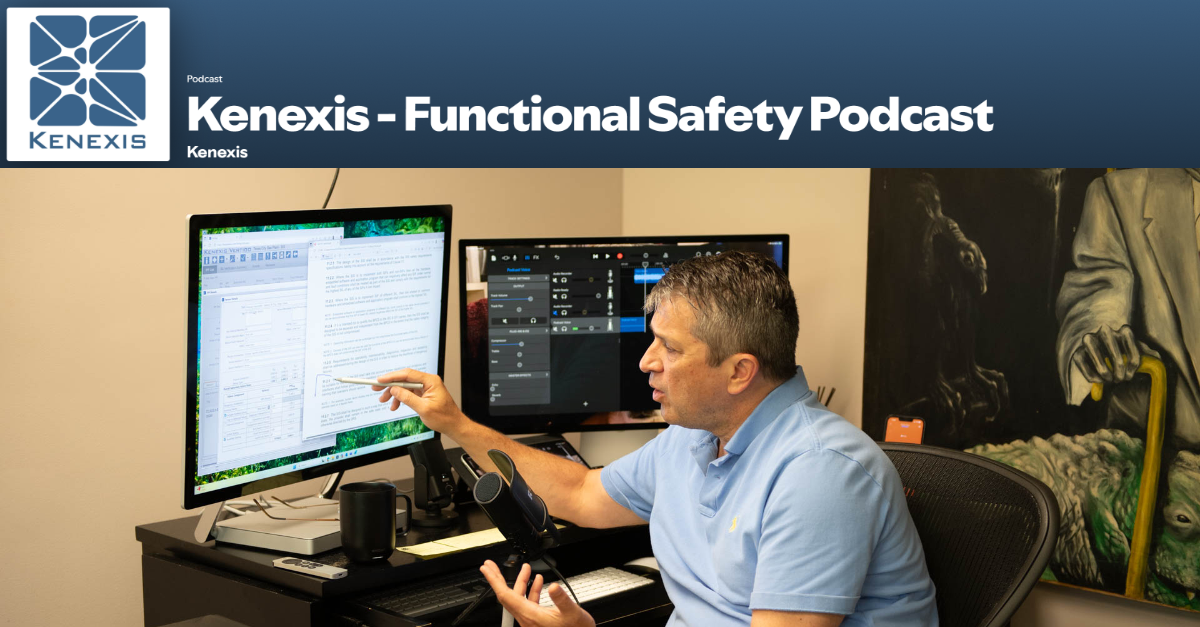
Tune in to the latest episode of the Kenexis Functional Safety Podcast, hosted by Ed Marszal, President and CEO of Kenexis. Now available on Spotify and Apple Podcasts, Ed offers his expert insights on the IEC 61511 standard.
With decades of experience in safety instrumented systems and as a Principal Engineer, Ed has a unique perspective to offer. He has been an active contributor to the ISA 84 committee since 1994, adding to his deep understanding of the field.
In this inaugural season, Ed delves into the IEC 61511 standard, unpacking the meaning behind each word and providing a thorough interpretation of its application. Through personal stories from his career and committee work, he offers valuable context and insights for professionals in the industry.
Full Episode Transcript
Introduction and Episode Overview
When a safety instrumented system is first powered up, a lot of things need to start and a lot of things can go wrong because sometimes this is the only time that a piece of code gets run. Welcome to the Kenexis Functional Safety Podcast. I’m your host, Ed Marszal, President and CEO of Kenexis. Kenexis is a technical safety consultancy that helps chemical process industry companies to analyze risk and design engineered safeguards like safety instrumented systems and fire and gas detection systems.
Kenexis also provides the industry-leading suite of software tools, including our best-in-class Vertigo software for SIS safety lifecycle management. In this first season of the podcast, we are going to focus on the IEC 61511 standard, doing a deep dive into the standard, including more depth of information on what the standard means and how to apply it, brought to life with personal war stories and behind-the-scenes discussions of the committee members as we develop the standard in ISA 84 and IEC SC 65.
Before we start, a little disclaimer: I will be providing my opinion on technical and engineering topics. This information is provided on a best effort basis and is of a general nature. The information presented in this podcast might not be applicable to your specific application. It is the obligation of every engineer to thoroughly analyze any system that they are designing and not blindly rely on any general advice presented in this podcast.
All right, so in this installment of the pod, we are gonna wrap up the general requirements for application program development. So we’re uh at the very beginning of clause 12.2 contains the general requirements. We hit the first five of them in the last session, and we’re going to wrap things up today.
Clause 12.2.6: Power-Up Safe-State Requirement
So let’s get into it with clause 12.2.6, which addresses kind of a strange area of the power-up. The power-up is a very unique point in time, and depending on what safety PLC you’re actually using, things will get run differently. Things will get run separately. There are some activities that only occur during power-up that will never occur any other time, which makes it very important to actually schedule regular startups as part of your maintenance and testing program. I am aware of a PLC that shall remain nameless because I don’t want to be sued.
But this very large, very well, very commonly used brand of PLC has kind of a timer where if you don’t power down and power back up, it will essentially freeze up and stop running. So So putting together a maintenance period where you’re going to actually power the thing off and bring it back up from a cold start is something that is it’s It’s necessary. So, all of this kind of thought process for coming up from a cold start was brought to my mind by the first clause that we’re looking at today, which is 1226. So let’s go ahead and get into it. Clause 1226 says:
during SIS startup or power-up, parenthetically. The application program shall ensure that the safety outputs remain in a safe state, typically a de-energized state, that typically de-energized state, again, parenthetical, until a reset has been initiated, unless otherwise directed by the SRS. I love that. So let’s start at the end. When a clause ends with unless otherwise directed by the SRS, that means that you might want to do this, you might not want to do this. There are a lot of considerations to think about while you’re doing your design process.
When you’re doing your safety requirement specification, you should really think this through. So whenever you see that, what they’re actually trying to tell you is that you should think this through, figure out what you want to do, and write that down in the SRS, as opposed to just blindly following the requirement that’s in the standard.
Variable Instantiation and Initial States
Alright, so what it’s saying is when a safety PLC first gets turned on there One of the first things that you need to do upon power on is you’re going to initiate the state of all of the variables, the instantiation. So if you’re a programmer, you know that, well, I should be very careful because this is no longer true for JavaScript. But for a lot of the more traditional programming languages, before you could use a variable, you had to declare it. And as part of that declaration process, you would also instantiate it with its time equals zero variable.
So I’m going to define a variable which is xv101 out. Let’s say that’s the output going to shutoff valve XV101. Well, when my program first instantiates, what should that be? Should that be a false, a zero, indicating de-energized, which would indicate that the valve is in its fail-safe state? Or should it be a one, uh, a true, energize that output as soon as the PLC turns on.
Well, this goes back to the same discussion of manual reset in figuring out well, what is actually the safest value of any variable, whether it’s an input or an output, but you know, with outputs, that’s going to be absolutely key. Because you know, with an input, you instantiate the variable and then the first PLC scan is going to go grab the data and change it to whatever is current. So, things that are set by the logic are going to be the most important things to run.
Now, different PLC vendors and software applications, engineering interfaces, maintenance and engineering interfaces, are going to do this different ways. Sometimes there is a sheet of code that runs on a cold startup, a black startup. You’re starting with all the lights off, and you’re just going to put power on to the device the first time. So, if you’re in a paradigm where you’re going to run a sheet of code that’s going to instantiate everything, then you’re going to have a list of all those variables that you want to set and what you want to set them to.
In other, shall we say, more modern software, that is a parameter that you can configure in The in the configuration settings. So, when you define or configure an output, you’ll have the ability to manipulate what its initial state is also through the maintenance and engineering interface. Now, if you’re in a pinch and you’re using, shall we say, something that is on the less sophisticated side with respect to the software that you’re using, the program might just run.
So if the program just runs, you’re going to want to make sure that your application logic is such that that first run of logic will know that my output has not been reset and will set it to that safe state to where it’s not reset and force you to do a reset before that output will be able to go to its safe state. So 12.2.6 is different from 12.2.5 in that, you know, 12.2.5 assumes that you’re running. And there, you know, it’s nothing is really super dramatically different from what you would define in the hardware specification. But in this case, it’s different.
It’s all about how you initialize and instantiate your variables, making sure that when you turn your PLC on, you’re not going to open a valve just because you powered up your PLC, especially if opening that valve is a dangerous thing to do. So 12.26.
Power-Up Diagnostics and Maintenance Testing
Now, this topic of power-up is a lot broader than just this reset issue. When you first power up a PLC, a lot of times it’s gonna go through some algorithms that it will never go through again until the next time you start things up. There are some core diagnostics, some core checks to make sure that the environment that the software thinks that it is in is the actual environment that it is in. And there, because we haven’t started running the process, you could do some more heavy-handed diagnostics that you can’t do while the plant is online and running.
So, when you first power things up, you can inject all kinds of signals into your input because you know that all your final elements are in the safe state and you’re not going to cause negative impacts.
A lot of these diagnostics are, you know, very comprehensive and very thorough, and should be run on a somewhat regular basis, which is why I recommend that when you’re doing when you’re developing your maintenance program, your testing program, that manual proof test of the logic solver system, a step to go completely unpowered and bring it back up from an unpowered state is something that you should really consider. Of course, you’re going to want to consider this in consultation with your equipment vendor.
A lot of times, your equipment vendor has service packages where they will send a technician out to help you do this. And if you’re using a sophisticated SIL3-rated logic solver system, you won’t need to do this a lot, maybe once every 10 years, to the point in time where your people are probably not going to be competent to do this themselves. And it’s not that big of an expense once every 10 years to bring in the equipment vendor to help you with this process. But those diagnostics are, you know, key, and a lot of them can’t be done any other time than that first power-up.
So keep that in mind in two ways. Number one, when you’re setting up your application program, make sure that it’s going to default everything to a safe state that you have to reset out of, unless you have a reason not to, and you might. And if that is the case please thoroughly document it in your safety requirement specifications. And then also we want to leverage this cold startup process while we are doing our periodic maintenance activities. Okay, that is 12.2.6.
Clause 12.2.7: Full Code Execution Every Scan
Let us move on to 12.2.7. Okay, 12.2.7 has two sentences and it talks about the thoroughness of the scan, the PLC scan. So, how much of the actual application code is being executed every time the PLC scans? So, all right, without further ado, first sentence in 1227 states: the application program shall be designed in such a way that all parts of the application program are executed on every application scan unless there is a specific alternative requirement that is supported in the safety manual. Okay, wow, let’s break this down.
We referred to the safety manual here, so we’re going pretty hardcore. So, what we want to do, number one, is every line of code in the program, we want to run it every scan. This is to make sure that there are not latent bugs in the software that are hiding that might not get executed until an unfortunate time where you don’t want it to. So if we’ve got a lot of if-then branches, and some of those if-then branches don’t get executed, there could be failures hiding in those branches.
Hopefully you were able to detect them in your elaborate software testing process, but there is a chance that you might not have been able to get to all those branches in your testing, which is how a failure might be hiding in plain sight.
Now, there is the ability to partially run programs built into a lot of safety PLCs. And once again, in this first sentence in this clause, there’s going to be that reference back to the safety manual, which is basically the equipment vendor explaining to you, the end user, what you have to do, what you need to do, what you’re allowed to do in the maintenance and engineering interface. So, if you don’t want to run every piece of code, every line of code, every scan, then there may be alternate ways to check that code that are described in the safety manual. So again, think that through.
Don’t leave very large chunks of unexecuted code. It could result in issues that result in dangerous failures, um, the first time that that code gets run.
Case Study: Mont Belvieu Hot-Standby PLC Failure
So, let me give you a little example of this happening from my experience. I think I’ve already brought it up in the um In the pod already, but I was doing the startup in Mount Bellevue, Texas of a UOP Olaflex unit, and the logic solver that was used was kind of an old school safety configured PLC. This startup was in 1992, so or I take that back, it was winter of 1993, spring of 94. So I bring this up because the first version of SIL of functional safety is still two years away at this point in time.
ISA 84, the first functional safety standard, didn’t get released until 1996. So we didn’t have a lot of these rules to fall back on. And the general-purpose safety-configured PLC had a hot standby processor that the engineers continuously referred to as redundant, which is a dramatic misnomer. It is not redundant. A hot standby PLC runs on the primary until the switching mechanism detects that the primary has failed, then it switches over to the backup. Now the PLCs also sent signals to two out of three voting on inputs and two out of three voting on outputs.
Technically, it was two out of four on outputs, the way things were wired. So, really super safe on paper, but just a high school science fair kludge at the end of the day in terms of the ridiculous amount of complexity and hand rolling of stuff that needed to happen on site for this to occur. Well, the plant was running for about three weeks, when we ran into a problem. So the scan time on the code varied, but it was generally running in under one second. Let’s say, you know, we’re in the 700 to 800 millisecond range of the scan time for the PLC.
Then all of a sudden, there was some sort of process hiccup that fired a whole bunch of extra new code that had not been run before. Because, you know, when you’re doing your if-then branching, when you the first time you hit that branch, you’re gonna add a bunch of new rungs into the ladder logic, and this was ladder logic, so we’re going add to a new rung, a lot, a bunch of new rungs in the ladder logic that are going to consume CPU cycles that are going to slow down the process. So the first time that these extra lines of code ran, the scan time exceeded one second.
We went over 1000 milliseconds. Well, another feature of the software was that if the timer times out and that timer was set at 1000 milliseconds, one second, then the switch assumes that the primary PLC has hung up in its program, and thus we need to switch to the backup PLC. And when we switch to the backup PLC, things are going to be a little bit slow because, you know, in accordance with 12.2.6, we’re going to need to run code to instantiate everything that’s going on in the backup PLC because it’s not redundant, it’s a hot standby.
The backup PLC was never running until we switched over and wanted to start this run. Well, there was also some more code that had never been run, which checked the program in the backup PLC and compared it against the program in the primary PLC to see if they were the same. And if the backup PLC did not have the same program as the primary PLC, you shut down. And that is exactly what happened. All through the commissioning process. The engineers were updating the primary program, but they were never updating the backup program.
So, the one time a couple weeks in the startup when we wanted to switch, we couldn’t switch, and the plant came to a screaming halt. So basically, this entire complex, full of butane. Everything slammed shut, which caused everything to pressure up, which caused everything to go to the flare header. Oh my goodness, the ground is shaking. The flare is shooting flames up into the sky. You could probably see from outer space. And there I am out in the plant as the earthquake feel and the flare going crazy. Time kind of slowed down for me, and I’m like, oh, so this is how I’m going to die.
But obviously, I am here today, so I did not die. Everything worked as designed, although quite scary. It was at the end of the day a safe shutdown of the plant. But all of this occurred because we were running code for the first time that had never been run before, and that code contained errors. Calling them an error is a bit of a stretch. It caused the runtime to exceed the limit which caused a plant shutdown to occur. Not keeping the code in the backup PLC up to date, that’s definitely an error that needed to be addressed. But alas, it was not.
Clause 12.2.7: Scan Time and Process Safety Time
Okay, so that’s kind of an example of what we’re trying to avoid here by making sure that we run all the code every scan, or we’re going to implement alternate requirements that your equipment vendors are going to provide to you, and they will be documented in the equipment vendor’s safety manual.
All right, one more sentence here on clause 12.2.7 states: process safety time requirements shall be considered when establishing application program scanning requirements. Okay, so this is part and parcel of the discussion that I was just talking about with the first sentence, where someone made the decision that if a scan doesn’t turn around in one second, that the PLC is busted and we need to switch to the backup. And if we can’t switch to the backup, we need to shut down. Where did that one second come from?
Well, saying that it’s completely arbitrary is not necessarily exactly true, but it’s pretty darn close to true.
So, what you’re commonly going to do is you’ve run the program. You’ve run the program a lot. You have run it during program testing, you’ve run it during factory acceptance testing, you’ve run it during site acceptance testing, and you know how long the PLC scans are. So or or let me let me take that back. You know how long the code takes to execute. And hopefully the code is executing before the end of the scan. So, depending on how your PLC works, things might operate differently for different vendors, but you can set a scan of one second, 1000 milliseconds.
And if your program executes in 200 milliseconds, and typically what we’re talking about is at the beginning of the scan, we write our outputs, then we read our inputs, then we execute the program and wait. Why is this process so critical and why do we start at the end? We start at the end because the timing of setting an output is critical for maintaining good process control. You don’t want the arbitrary changes in length of the program to change the frequency at which you’re setting the outputs because that will cause difficulty in controlling, that will cause output disturbances.
That’s why we generally, write the output first, scan the inputs, and then actually run the code. So let’s say my PLC scan is I set it for 1000 milliseconds. If I run my code in 200 milliseconds, output input code, ends at 200 milliseconds, that means my processor is going to sit idle for the remaining 800 milliseconds, and then right at 1000 milliseconds, it’s going to fire again. So, now what happens if I set my scan time to 500 milliseconds? Then, in this case you execute your code up to 200, you’re idle for 300 milliseconds, and then at 500 milliseconds you fire again.
But what happens if I set my scan time at 500 milliseconds, but it takes my program 700 milliseconds to run. Well, different vendors do different things, but the most common thing to do is if the timer has timed out, then we’re going to just start the next cycle when the first cycle ended.
So even though my scan time was set at 500 milliseconds, if it takes 700 milliseconds to run the program, it’s just going to start the sequence at 700 milliseconds and it won’t go into idle, it’ll just kind of keep firing, which again is going to have all kinds of negative connotations because you’ve got no idle time and you’re moving around that time that you’re setting the outputs, which for a safety PLC, not necessarily as big of a deal as a basic process control system because that’s going to screw up your continuous control.
So what we’re going to do is during the programming phase, during the testing phase, we’re going to be looking to see how long the program takes to execute and setting the scan time out further than that. So if it takes 200 milliseconds to run on a regular basis, and never have we ever exceeded 300 milliseconds, then 500 milliseconds might be a good scan time.
But the other thing to consider is what the clause says, 12.27, says that process safety time requirements shall be considered. So if the process can get into a dangerous condition fast. So let’s say I need to do anti-surge control. Well, let’s back off. I don’t want to do anti-surge control. Let’s say I want to do overspeed safety instrumented functions. Well, that overspeed can occur in 5, 10, 20 milliseconds, allowing 500 milliseconds for my scan time of my PLC is unacceptable because I will have destroyed my My turbine before my PLC program executes.
So, definitely, you want to see how quickly the code is executing and make sure that the code can execute within the process safety time. But you also need to think about how fast do I need to be able to turn around an output to prevent a consequence from occurring?
So that’s why we say that process safety time requirements shall be considered. And also, again, we’ve already had a little bit of the discussion of MERT maximum equipment response time, which in the next version of 1511 is going to replace the concept of process safety time because you don’t have the entire process safety time for your safety instrumented function to execute, which is why we added the new definition. So, those are the factors that you’re going to need to consider when you’re putting together your scan time and you’re setting it for your safety PLC.
Clause 12.2.8: Revision Control and Management of Change
Okay, next clause up is going to be clause 12.2.8. And clause 12.2.8, one short sentence states: the SIS application program and data shall be subject to modification, revision control, version management, backup, and restoration procedures. Okay, this is a new general requirement. This is something that you need to think about if you’re putting into place programmable systems at your site. They’re going to change.
People are going to rewrite the program. They’re going to rewrite the program at a frequency that sometimes honestly could be shockingly terrifying. A lot of changes are going to happen and it’s important to keep control of what changes are happening, who’s making the changes, has a risk analysis of the changes been made and with programs, we need to maintain a revision history of every program that has ever been uploaded into that PLC with revision numbers, with approvals, etc. So, you need to have at your facility a revision control program that is dedicated to your application software.
Well, I have great news for you. Most of the time, especially if your equipment vendor is selling you a SIL3 certified safety PLC built from the ground up for safety. They’re going to do this for you. So basically, the maintenance and engineering interface is going to have its storage, and in that storage, it’s going to maintain a history of all of the revisions that were ever uploaded into the safety PLC. And it will know, it’ll have all of the information about who made the changes, who made the uploads, when did they make them, they’ll automatically number the revisions.
All that stuff is taken care of for you. But then again, there are a lot of you out there who don’t have a A SIL3 rated safety PLC, you are limping along on legacy commercial off-the-shelf PLCs because you just haven’t gotten around. Maybe you haven’t been given the budget to update to some more modern tech. So, in that case, the revision history information is going to be up to you to make sure that that revision history is tracked and implemented. Now, how are you going to do this? Well, number one, you’re going to develop written procedures for maintaining the revision history.
They don’t need to be very elaborate, but they do need to be documented. You might actually be able to get away with documenting this simply in that functional safety plan that we started out with all the way back in clause five with you know information on who’s allowed to make changes when they make changes. And then you just kind of walk through the process of how you make those changes how you number changes where you store the old files. And so on. Making sure that the people making these changes are competent in what they’re doing, again, is another key part of competency in clause 5.
But we want to have a full history of all of the revisions, and in between each revision, who made the change, why did they make the change, what was the content of the change, and you know what? A good management of change system should be able to help you keep track of all of this stuff. So, let’s say you’re using a great, great management of change system, like, oh, I don’t know, Kenexis MOC that is part of the Kenexis Integrated Safety Suite. We actually, in the Kenexis Integrated Safety Suites, Kenexis MOC product, we give you the ability to upload files into a change request.
So if you want, not only can you track who made the change, why are they making the change? Was a risk analysis done? What are the checklists we need to go through? What are the approvals? You’ll also be able to actually upload the revision history, the old file before changes and the new file after changes, and maybe even documentation of the testing that you did, and all of that can get tracked in the Kenexis MOC product.
So there I’m not to say that there aren’t other MOC systems, but that’s something that you might want to think about, you might want to leverage if your safety PLC isn’t doing all of this work for you in a built-in way. Okay, so that is clause 12.2.8 software. And again, this is a little bit different than what you do for hardware. Now, while you do need to follow an MOC system to track changes that you’re making to your hardware, keeping old revisions of hardware is, well, let’s just say that that’s something that you’re not going to need to do.
Clause 12.2.9: Lifecycle Measures and Techniques
All right, last clause in this section is a longer clause because we have a clause, but we also have four bullet points under that clause. So let me read you the clause stem, the header, and then I’ll hit each of these bullet points one at a time. All right, 12.2.9 states: the application program specifies requirements for application programming for users and integrators of SISs. In particular, requirements for the following are specified. Okay, so basically, in clause 1229, I’m going to come right out of the gate and say that this is kind of awkwardly written.
I’m an expert, I like to think so anyway, in these topics, and it’s kind of hard for me to understand what they’re asking about. But clause 1229 states: application programs specify requirements for application programming. So the application program has requirements for how you’re doing the programming for users and integrators of the SIS? Well, let’s just say that there are requirements for how the program needs to be written. How about that? Let’s kind of clean this language up a little bit.
So, when I am telling either systems integrators or EPCs or my own staff how they need to write the program. Those are key requirements that need to be written down, that need to be documented to make sure that you’ve got a good consistent product when the programming has been completed. All right, so four bullet points of things that the standard wants you to think about when you’re writing these requirements down. Item number one: SIS lifecycle phases and activities that are to be applied during the design and development of the application program. Okay, that’s the first sentence of two.
Let me read the second sentence now, which states: these requirements include the application of measures and techniques which are intended to avoid errors in the application program and to control failures which may occur. All right, a whole lot of words, not necessarily very clear in what the standards writers are getting at? But basically, there are going to be activities in the safety life cycle where you’re going to be designing and developing your program. During these activities, you’re going to need a description of measures and techniques.
So how you do things and measures would be things like templates and examples and specifications. So let’s just give me an example or give you an example. You might want to write out an example of how you generate a tag in the safety PLC program based on the instrument tag on the PID or on the specification sheet. That would be a measure, a measure, and a technique. Other measures would be things maybe related to how do you set the scan time or what is a typical optimal scan time that you would use for a starting point.
So these types of things are generally going to be documented at the corporate level or at the site level in a standardized document for how you write application code for a safety PLC or for any PLC for that matter, it doesn’t need to be limited to a safety PLC, but kind of a standard document for how software needs to be written. That’s where these measures and techniques are going to be listed and documented and maintained.
Clause 12.2.9: Validation, Operations, and Modification Requirements
All right, the second bullet point states: information relating to the application program validation to be passed to the organization carrying out the SIS integration. Wow. Okay. So we’re getting kind of esoteric in the weeds with regards to. Programming. And I think we’re pulling it away from the core SIS life cycle a little bit too much here. But basically, the organization that is going to do the SIS integration, that’s going to be your systems integrator, your equipment vendor, your EPC.
So that organization needs information on how you’re going to do your validation, how you’re going to be doing your site acceptance testing, so that if, especially if they are the ones that are going to be responsible for writing that FAT SAT procedure, they have that information available to them. So, yeah, the kind of beginning at the end, we need to think about how we’re going to test the functionality as we are developing it so that it’s developed in such a way that it can be tested.
All right, third bullet point here for clause 1229 states: preparation of information and procedures concerning the application program needed by the user for the operation and maintenance of the SIS. All right, now again, we’re getting kind of lost in the weeds here. Ultimately, the operator of the plant is going to interact with the safety PLC. They’re going to interact with the safety PLC through whatever user interface you define. So the definition of the user interface is something that you need to do according to clause 10.3.2. Those are safety requirement specifications.
You need to define that. Also, we’re not there yet, but once we get into the maintenance and operation phase, clause 16, we’re going to begin that by saying that we need to write procedures for how the operator is going to interact with the safety PLC. So writing those procedures you’re going to need to be informed on how the application program works. So don’t overdo this. You don’t need to write a document that explains how the safety PLC works for the person who is writing the procedure.
I would hope that it’s a little bit more intuitive than that, and that the safety requirement specifications would have been sufficient for the people who are actually writing the test procedures, maybe in combination with having access to the user interface in a A simulation, kind of like an FAT or just a software testing mode.
All right, last bullet point for clause 12.2.9 states, procedures and specifications to be met by the organization carrying out modifications of the application program. So, people who are going to modify the application program need to know how to interact with the system. Honestly, we’ve already talked a lot about this in clause 12.2.8 just a few minutes ago, but this is all part of functional safety planning. It’s part of functional safety planning, it’s part of clause 16 for procedure development for maintenance.
But people who are going to be modifying the application program need to be competent in modifying the application program. They need to be trained. They need to have procedures for how they are going to do the modifications, they need a good management of change system like Kenexis MOC to help with the workflow of this process. So, all functional safety planning, kind of pointing back to functional safety planning.
You know, a lot of this in the software section is just kind of reinforcement that, you know, hey, you’ve already talked about all kinds of policies, procedures, requirements, and specifications for the SIS. Do not forget that they apply to your software in addition to the hardware. That’s kind of a summary of clause 12, if you will, is that it’s just a gentle reminder that everything in the rest of the standard applies to the software as well as it applies to the hardware.
Please don’t forget the software, don’t short sell it, don’t undercut it, otherwise, you’re going to be asking for trouble.
Summary and Preview of Next Session
All right, so with that, a little bit on the shorter side for today’s session, but still plenty to chew on. At this point in time, we’ve gotten all the way through clause 12.2.9, which is the last sub-clause of 12-2, which is application program development general requirements.
In the next section, we’re going to head to clause 12.3, which is application program design. Now, that’s going to get tricky because application program design is going to be different from clause 12.4, which is application program implementation. Most of you, the great preponderance of you, are going to do clause 1234 and 1235. I’m sorry, 12.3 application program design and 12-4 application program implementation at the exact same time.
But because the standard has separated them, I’m going to pretend that you’re going to write a brand new document or set of documents that explain how you’re gonna program. And then after that, you’re gonna take those documents and then actually go write the program, which conceptually that’s a good way to separate the requirements from each other. Practically speaking, not a whole lot of people are doing things that way. All right, so with that, that’s all I got for you this week.
Catch up with me next week, and we’re going to continue plowing through this application program development, the software side of the safety PLC. Talk to you then.
Vertigo Software Overview
Now that you’ve heard some insights on technical safety, functional safety, and the IEC 61511 standard, let me tell you a little bit more about how to easily and effectively implement the safety lifecycle using the Kenexis integrated safety suite and our SIS safety lifecycle management tool, Vertigo. Vertigo is a comprehensive tool set for performing assessment calculations, documenting, and maintaining the design of safety instrumented systems.
Analysis begins with importing or synchronizing a list of safety instrumented functions with their definitions and associated performance targets from our open PHA tool for HAZOP and LOPA documentation.
Each safety function can then be analyzed by performing a SIL verification calculation, complete with a collection of tools for optimizing designs and a database of thousands of potential instruments to define failure rates and diagnostic coverage capabilities. After the SILF verification calculations are defined, you can build an SRS by automatically generating a cause and effect diagram from the SIF definitions and other defined instruments.
Each SIS instrument will include a customizable data sheet and general requirements that are applicable to the SIS as a whole and can be entered individually or even bulk imported from customizable libraries. After the design phase, you can even use Vertigo to track and document testing throughout the entire life of the facility. Kenexis Vertigo is the most integrated, easy-to-use enterprise tool for allowing the development of SIS design basis information more efficiently and effectively than any other software application.